Reimagine RoomSketcher Visuals with Render Styles and Prompts
RoomSketcher has launched new ways to shape your photorealistic visuals. Reimagine your interiors with predefined render styles. Make changes to your space by describing them, or upload reference images for the look you want.
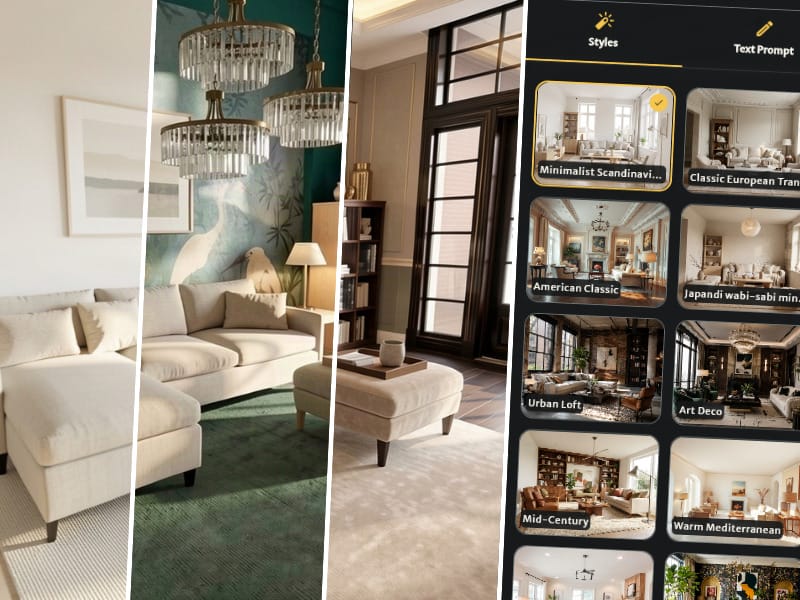

Explore Different Interior Styles in Seconds
Start with a photorealistic AI Render, then apply a predefined style. Quickly explore new furniture, colors, and design directions without changing the layout. Compare different looks before making a decision, or show clients several versions of the same space.
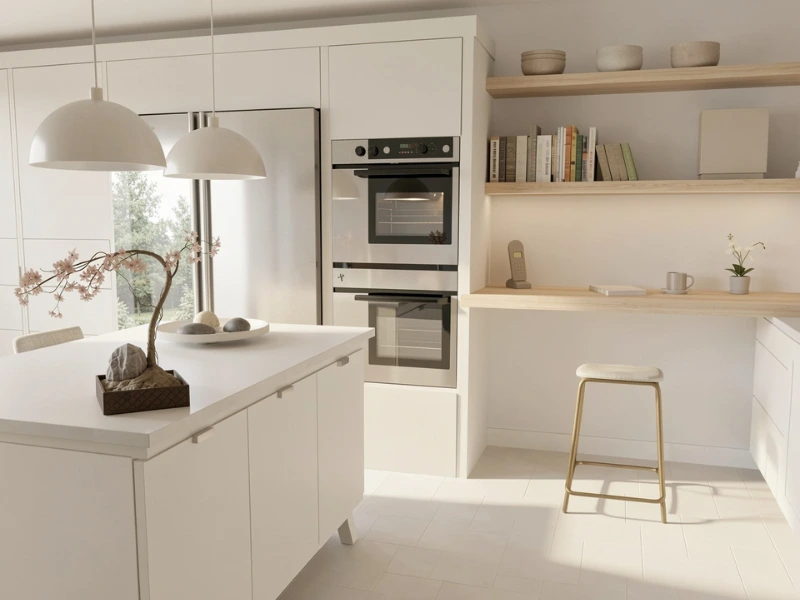
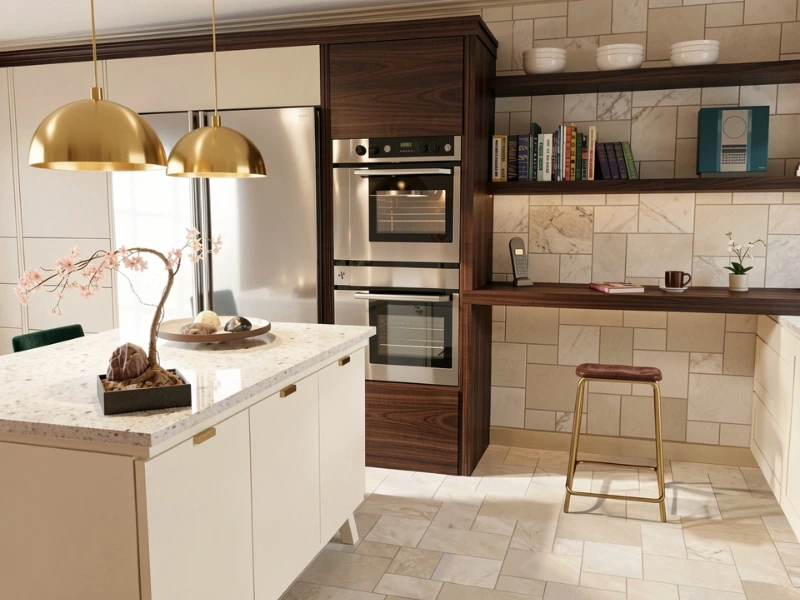
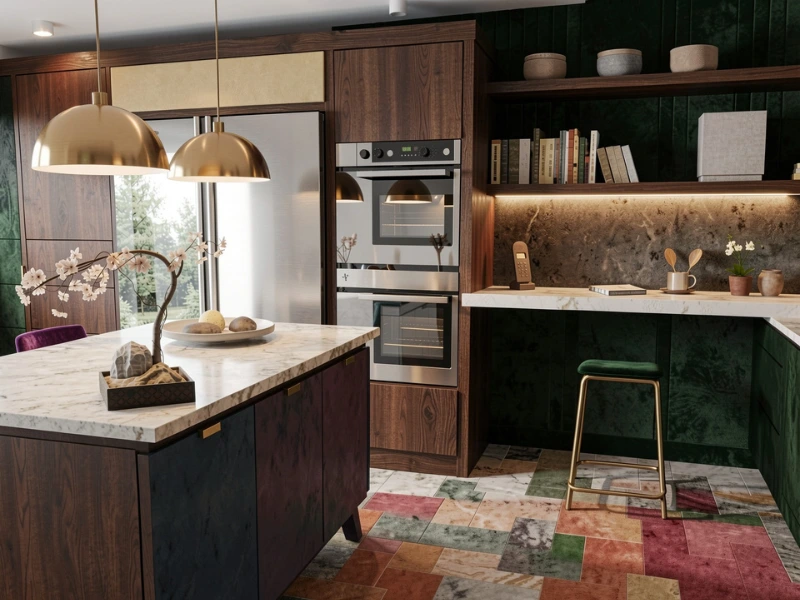
Explore a range of interior styles, including:
- Minimalist Scandinavian: light, airy spaces with neutral tones
- Japanese Wabi-Sabi: calm, natural textures and earthy colors
- Urban Loft: industrial character with exposed materials
- Modern Farmhouse: rustic warmth with modern comfort
- Maximalist: bold colors, rich patterns, and eclectic decor
Pick a style and click ‘Generate’ to reimagine your visual in seconds.
Shape Your Render by Describing Your Vision
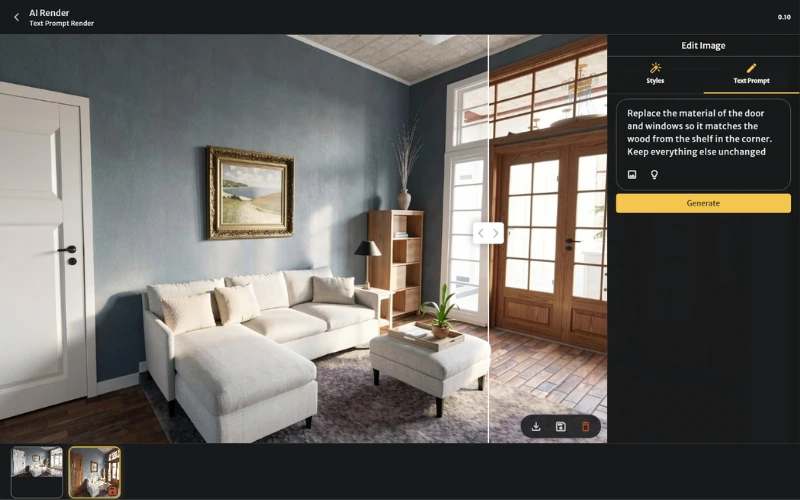
Text Prompt lets you edit your rendered images just by describing what you want. Type something like "add a vase to the table," click Generate, and AI Render updates the image for you. This means you can perfect the visual to your wishes, without any design skills or manual editing required.
You can also bring a space to life by adding people naturally into the scene while keeping the room itself unchanged. This helps you create more relatable visuals that show how the space could look and feel in use.
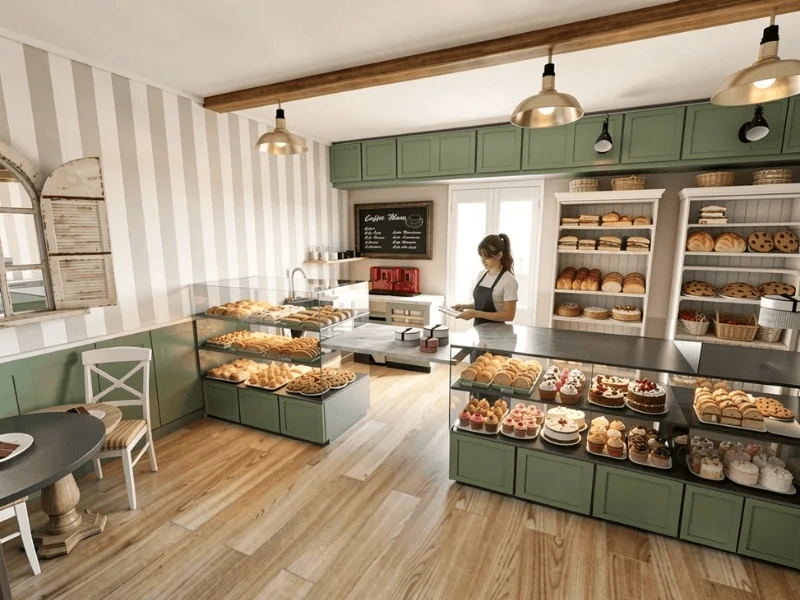
Recreate a Look From Any Reference Image
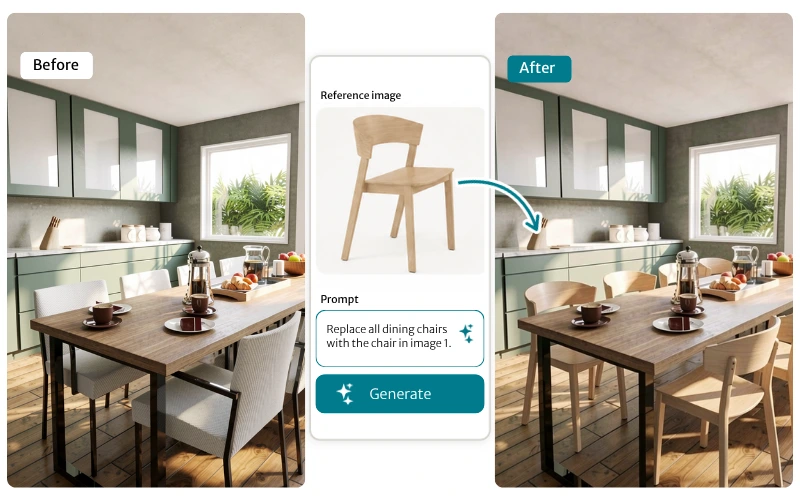
Now you can bring your own materials and furniture into your AI Render. Upload a wallpaper pattern, fabric, color, chair, or other product, then describe where you want to use it.
For example, upload a photo of a chair and ask AI Render to replace all the dining chairs with that design. It is an easy way to test real products and create visuals that match your ideas.
Check out our prompting guide for more tips on how to effectively use prompts to edit visuals to your specifications.
Available to Free and Pro Subscribers
Free subscribers can use AI Render on their Snapshots and 3D Photos. Pro and Team subscribers can also start from 3D Floor Plans or Live 3D to capture the perfect angle as a photorealistic image, and reimagine it in any style.
All AI Renders cost just 0.10 Credits to generate. This means that you can easily experiment until you land on the look you want. With a Pro subscription’s 5 monthly Credits, you can create up to 50 generations every single month.
Render Styles and Text Prompt are the latest additions from the continuous development our product team brings to RoomSketcher. Open a project, create a render, and try them out for yourself.
Photorealistic Renders are Finally Here
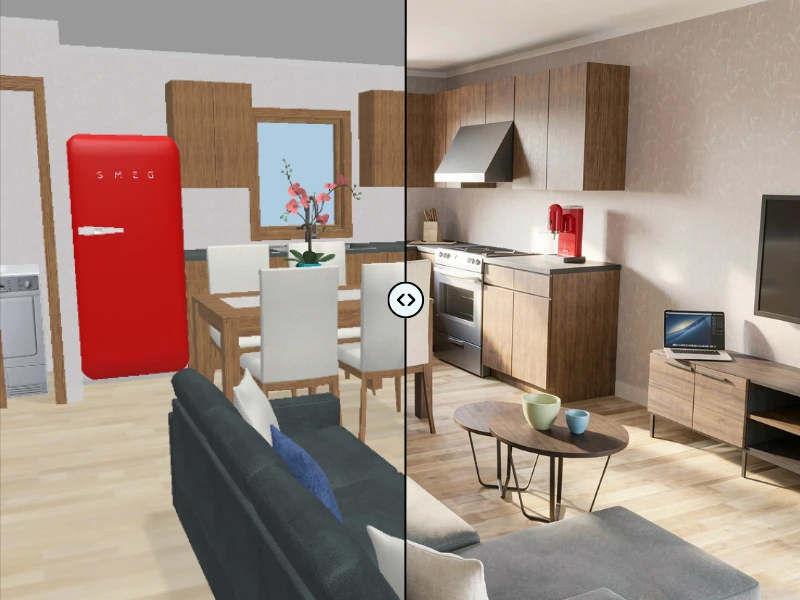
AI Render brings photorealistic imagery to RoomSketcher. Turn Snapshots, 3D Photos and Live 3D views into photorealistic images in just a few seconds, right inside the RoomSketcher web portal. AI Renders are perfect for presentations and client previews. AI Renders are available to Free, Pro, and Team subscribers through the RoomSketcher web portal.
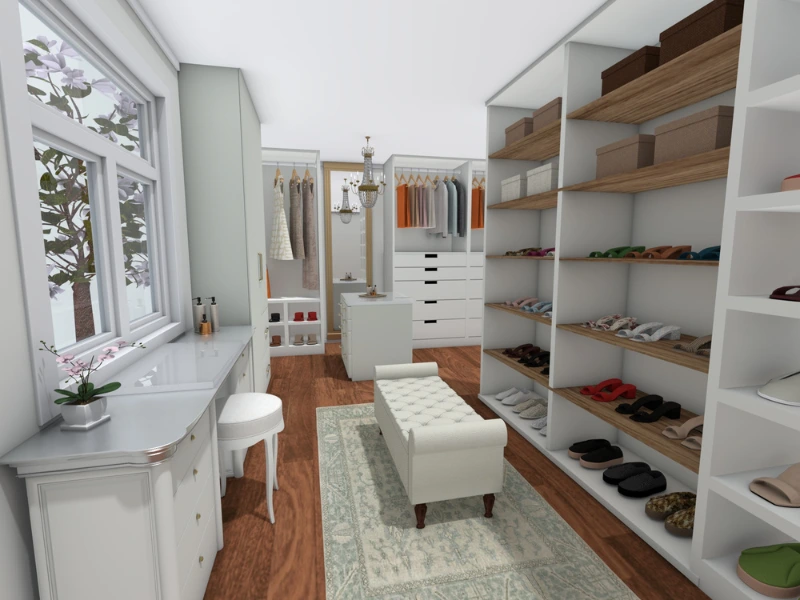
Design Walk-In Closets With New Storage and Styling Items
Our latest update adds almost 50 new items to the furniture library. For the first time, you can design detailed walk-in closets and wardrobes, complete with shelving, shoe storage, and styling accessories to give spaces their unique flair.

Upgrade Your Electrical Floor Plans With 170+ New Symbols
New symbols in this release include multiple wall socket types, switched outlets, dimmers, and specialized switches. The lighting library also expands with symbols for external, recessed, surface-mounted and strip lights.