Foyr Neo vs. RoomSketcher: Comparing Workflows and Results
While both Foyr Neo and RoomSketcher support 2D and 3D layouts, they are designed for different use cases. This comparison looks at how each platform performs, where they differ, and which types of users they suit best.
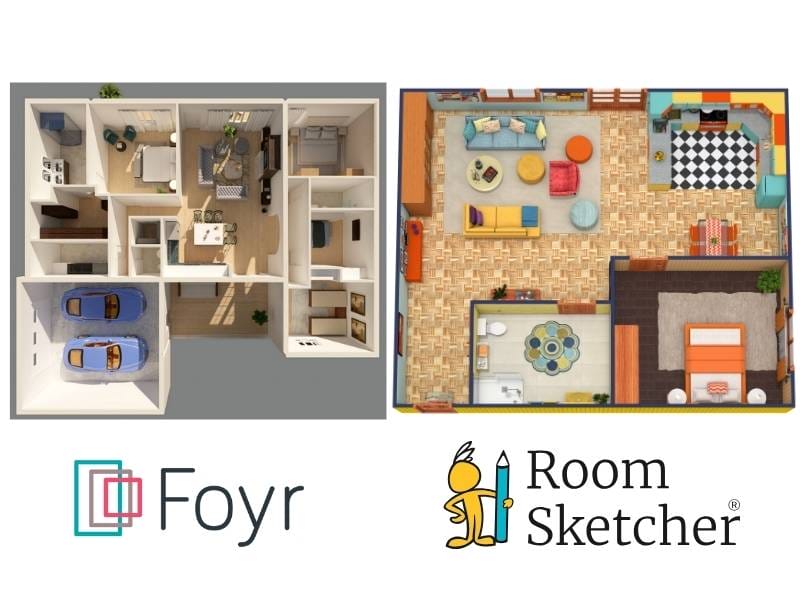

Article Summary: RoomSketcher is built specifically for creating professional 2D and 3D floor plans. It offers a faster, more intuitive workflow and delivers polished results without unnecessary complexity. Foyr Neo is a strong option for interior designers who focus on detailed room visuals. If your priority is efficient, client-ready floor plans, RoomSketcher is the better fit.
Choosing the right floor plan and design software comes down to what you need to create and how you prefer to work. After hands-on testing of both Foyr Neo and RoomSketcher, we identified clear strengths in each platform.
Below, we compare where the tools overlap, where they differ, and which one makes more sense depending on your needs and niche.
Side-by-Side Comparison
| Feature | Foyr Neo | RoomSketcher |
|---|---|---|
| Scan Interior | - | Yes - iOS LiDAR |
| Draw Floor Plans | Yes | Yes |
| Order Floor Plans | Yes | Yes |
| Trace Over an Existing Floor Plan | Yes | Yes |
| Convert an Existing Floor Plan | Yes | Yes |
| Edit Floor Plans | Yes | Yes |
| 2D Floor Plans | Yes | Yes |
| 3D Floor Plans | Yes | Yes |
| 3D Visualization | Yes | Yes |
| 3D Walkthrough | Yes | Yes |
| Site Plans | Yes | Yes |
| Measurements | Yes | Yes |
| Total Area Calculations | - | Yes |
| Customization of Floor Plans | - | Yes |
| Branded Floor Plans | Yes | Yes |
| Customizable Templates | Yes | Yes |
| Cloud Storage | Yes | Yes |
| Furniture Library | Yes | Yes |
| 2D Symbols | Yes | Yes |
| Pricing | Monthly and yearly | Free, Pro, Team |
| Customer Support | Chat, Email, Help Center | Chat, Email, Help Center, 1:1 Training for Business Users |
| Learning Material | Tutorials | Tutorials, Webinars |
| Sharing | Share images/walkthrough as a link, share floor plans as a PDF | Project link - includes presentation with images, floor plans, and walkthroughs, share floor plans and images as PDF, JPG, PNG |
Who Uses Foyr Neo vs Who Uses RoomSketcher?
Foyr Neo
- Interior designers
- Homeowners
RoomSketcher
- Real estate professionals
- Home builders
- Interior designers
- Remodelers
- Anyone looking for professional-quality results with less hassle
How They Work
What they both offer
Foyr Neo and RoomSketcher share several core capabilities. Both tools:
- Offer 2D and 3D floor plans
- Support importing existing floor plans to trace
- Have templates
- Let you draw from scratch
- Include furniture libraries
- Allow you to create 3D images and walkthrough-style visuals
The differences
Where they differ is in flexibility and workflow. RoomSketcher supports more ways to get started. In addition to drawing manually or using templates, you can scan a property using iOS LiDAR or convert a blueprint or sketch into an editable project using AI Convert. This makes it easier to work with real-world inputs and existing documentation.
Primary focus
The biggest differences become clear when you look at each tool's primary focus. Foyr Neo is built mainly for interior design. Its interface, tutorials, and feature set center on designing individual rooms and producing high-quality visual renderings. While it does allow basic 2D floor plan creation, customization options are limited compared to RoomSketcher.
2D and 3D workflow
RoomSketcher is built to create professional 2D and 3D floor plans while supporting interior design workflows. This makes it suitable for a wider range of professionals, including real estate agents, property managers, contractors, renovators, and interior designers who need clear, presentation-ready plans.
RoomSketcher lets you work in 2D while viewing the results in 3D in real time using Live 3D. In Foyr Neo, the workflow typically involves building in 2D, then switching to 3D to apply materials and finishes, which adds more back-and-forth.
Platform Availability:
- Foyr Neo: Browser-based product for desktops, laptops, and some tablets. Requires a stable internet connection
- RoomSketcher: Downloadable desktop app for Windows and Mac + mobile app for iOS and Android
Order Floor Plans
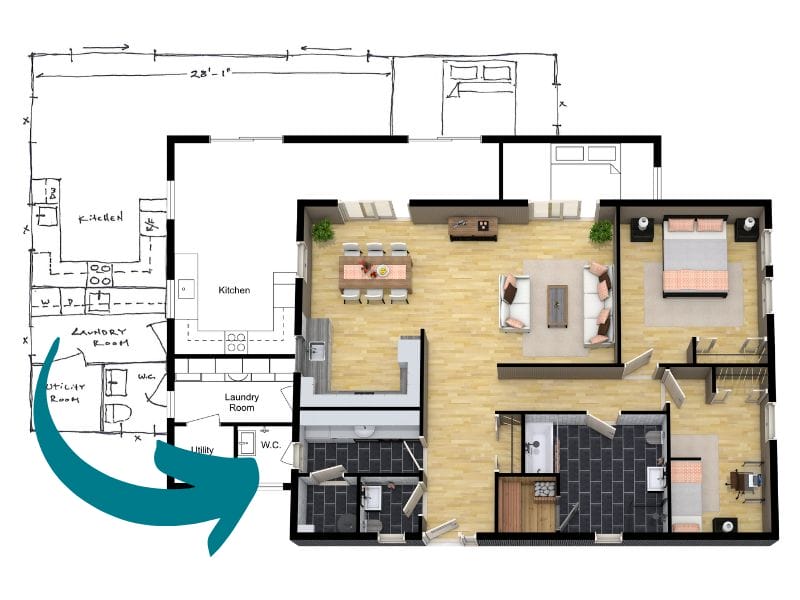
If you need professional floor plans on a tight deadline, RoomSketcher clearly stands out. Its redraw service allows you to submit a sketch or blueprint and receive editable, professional-quality 2D and 3D Floor Plans by the next business day. You can make last-minute changes and regenerate updated plans at no extra cost. The service is affordable and accessible to individuals and businesses of all sizes.
Foyr Neo offers a 2D Floor Plan Service, where you can upload a floor plan sketch and receive a floor plan conversion and an editable CAD file.
2D Floor Plans
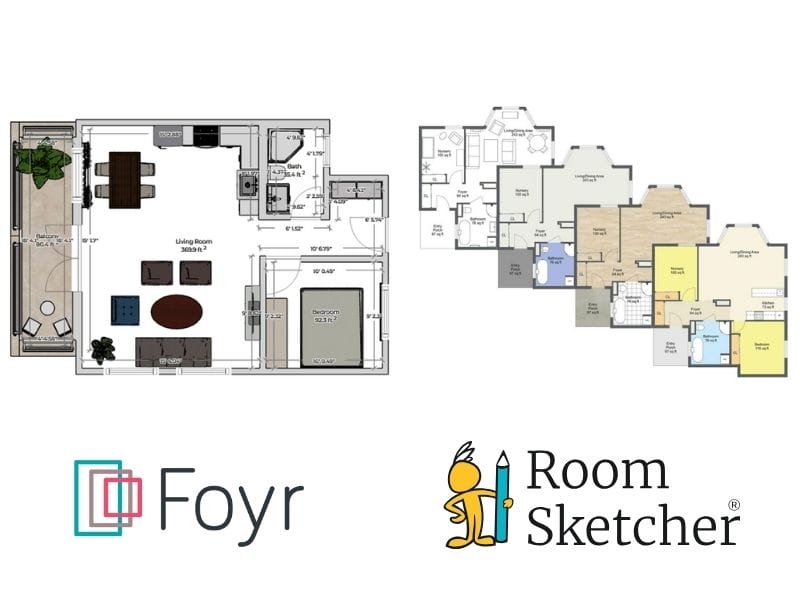
With Foyr Neo, you can create standard black-and-white floor plans with limited options for color and materials. You can show or hide dimensions and room labels, and export plans as DXF or PDF files. Exports capture the full workspace, which often requires additional cropping to produce a clean final plan.
RoomSketcher offers more control over 2D Floor Plan customization. In addition to black-and-white layouts, you can color-code rooms, apply consistent colors across furniture, or customize individual elements in detail. Branded templates help maintain visual consistency across projects. Exports are clean and presentation-ready, available as JPG, PNG, and PDF files, with no cropping or extra cleanup needed.
3D Floor Plans
With Foyr Neo, you can view and rotate a 3D floor plan, but customization options are limited. Exports are captured as workspace screenshots, which typically require cropping and cleanup before they are ready to share.
RoomSketcher is built to produce polished, presentation-ready 3D Floor Plans. You can control wall-top colors, viewing angles, rotation, labels, and branding elements, and save custom styles for consistent output. High-resolution exports are ready for both print and digital use without additional editing.
3D Photos and Virtual Tours
3D Photos
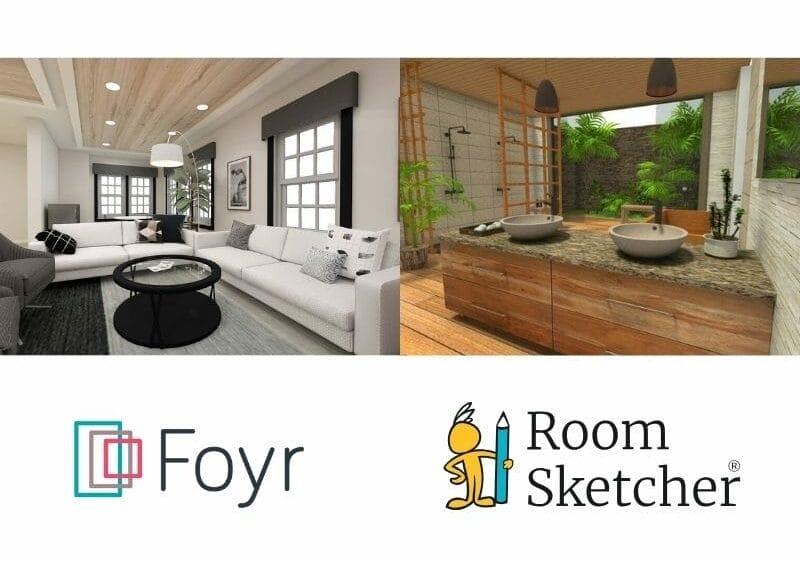
With Foyr Neo, you can fine-tune lighting, sunlight, time of day, environments, and materials to produce highly realistic 4K interior images. This level of control takes more time, but it can be a good fit when you need highly specific, detail-driven interior visuals.
RoomSketcher takes a more automated approach. You can adjust camera angles, preview compositions using snapshots, and generate high-resolution 3D Photos optimized for web and on-screen use in just a few clicks.
360 Views and Walkthroughs
RoomSketcher offers two ways to explore a project interactively. 360 Views let you look around a space as if you were standing inside it. They are generated with one click, work across devices, and are well-suited for quick, immersive presentations. Live 3D provides an instant walkthrough experience, letting you view the project from above or move through it room by room with no setup.
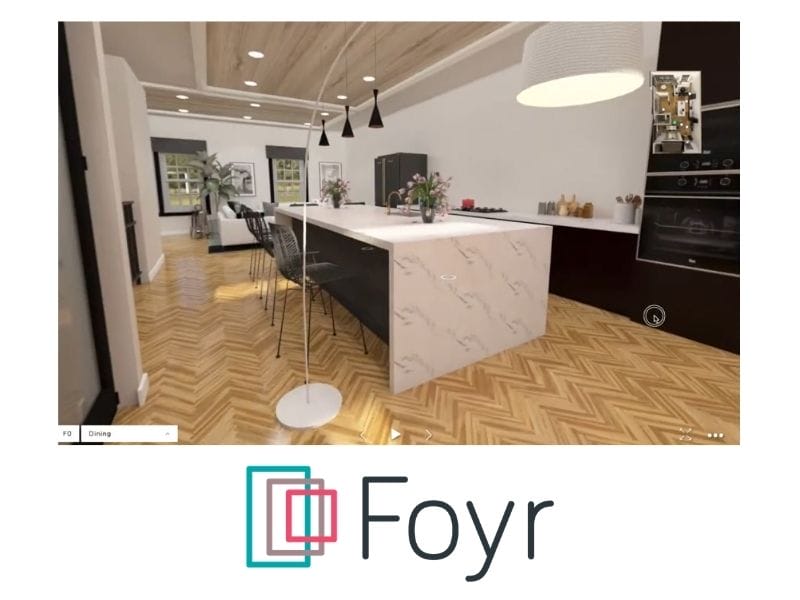
Foyr Neo focuses on photo-realistic walkthroughs with control over cameras, lighting, and movement. This allows for customized results, but the setup process is more complex.
Measurements and Calculations
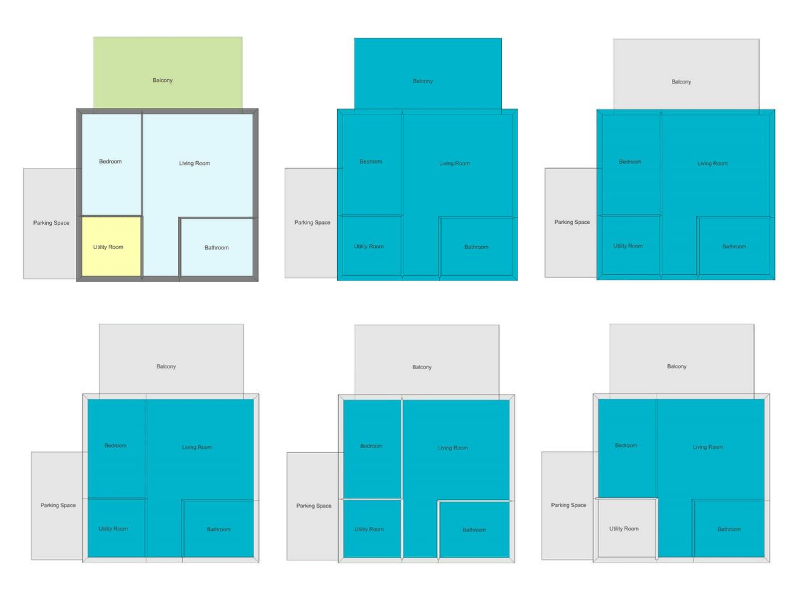
Both tools automatically calculate room areas and wall lengths in metric or imperial units.
RoomSketcher goes further with its Total Area Calculator, which supports six industry-standard measurement methods, including Grand Total Area (GTA), Total Living Area (TLA), and Gross Internal Area (GLA). This makes it especially useful for real estate listings, valuations, and professional reporting.
Easy Project Sharing
With one click, RoomSketcher generates a web-based Project Presentation for each project. You can share it by email or as a link, without exporting files or sending large attachments.
Recipients see a complete, client-ready view of the project, including 2D and 3D Floor Plans, 3D Photos, furniture, and an interactive Live 3D walkthrough. They can also open a copy of the project to explore the layout on their own.
With Foyr Neo, you can share images or a walkthrough as a link or share floor plans as a PDF.
Which Floor Plan Software Should You Choose?
If your goal is to create professional, customizable 2D and 3D floor plans efficiently, RoomSketcher is the best choice. Its intuitive interface, AI Convert, redraw services, measurement tools, 3D images, one-click visualization options, and unmatched customization make it ideal for a wide range of professional and personal projects.
If your primary focus is detailed room visuals, and customizable renderings, Foyr Neo has the edge.
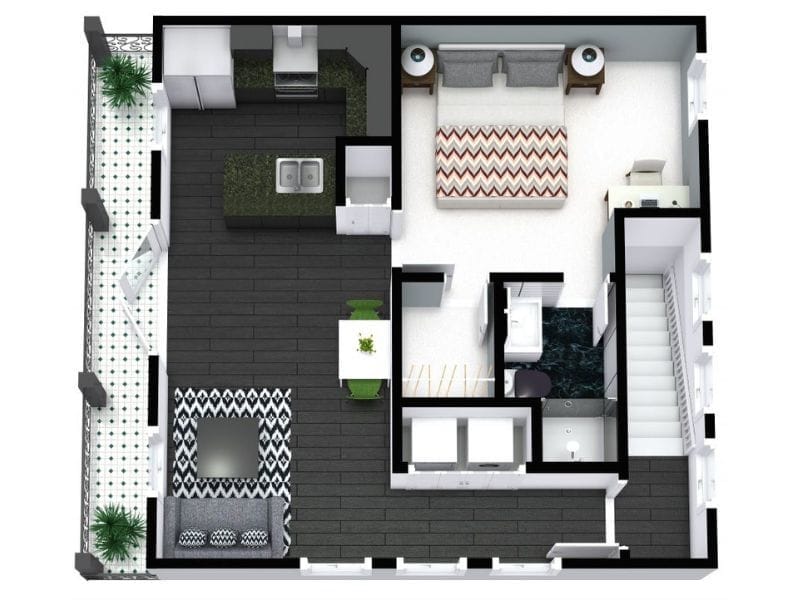
Why People Prefer RoomSketcher
- Intuitive and easy-to-use
- Scan, AI Convert, Draw, Trace, or Order Floor Plans
- Unmatched 2D and 3D Floor Plan customization
- Friendly customer support
- Flexible pay-as-you-go pricing
Ready to try it yourself? Create a free RoomSketcher account today and explore the features. Upgrade anytime to unlock 2D and 3D Floor Plans, 3D Photos, 360 Views, and Live 3D.
With a 30-day money-back guarantee, you can get started risk-free.
Frequently Asked Questions (FAQ)
RoomSketcher is intuitive and easy-to-use. There are multiple ways to create a floor plan, including Scan, AI Convert, Draw, Trace, and Order Floor Plans. This makes it easy for anyone, whether you are a homeowner, designer, or real estate professional, to create detailed 2D and 3D models with confidence.
You do not need prior design experience or technical skills. The RoomSketcher app guides you step by step, so you can quickly turn your ideas into professional 2D Floor Plans, 3D Floor Plans, and interactive Live 3D as well as 360 Views.
The best program to draw floor plans is one that is easy to use, flexible, and delivers professional results. For many professionals and homeowners, that program is RoomSketcher.
RoomSketcher gives you everything you need to create accurate 2D Floor Plans, realistic 3D Floor Plans, and immersive Live 3D views, all in one place. You can work in the RoomSketcher app on your computer or tablet, whether you are designing a home, planning a remodel, or preparing a property listing.
The biggest difference is focus: RoomSketcher is floor‑plan–first (accurate 2D/3D plans with measurements), while Foyr Neo is an end‑to‑end interior design and rendering platform.
Recommended Reads

Top 9 Floor Plan Software Tools for 3D Floor Plans
3D floor plans turn simple layouts into realistic, easy-to-understand visual experiences. They help people explore design ideas and instantly understand a space. Here's a list of the best floor plan software to use for your 3D floor plans.
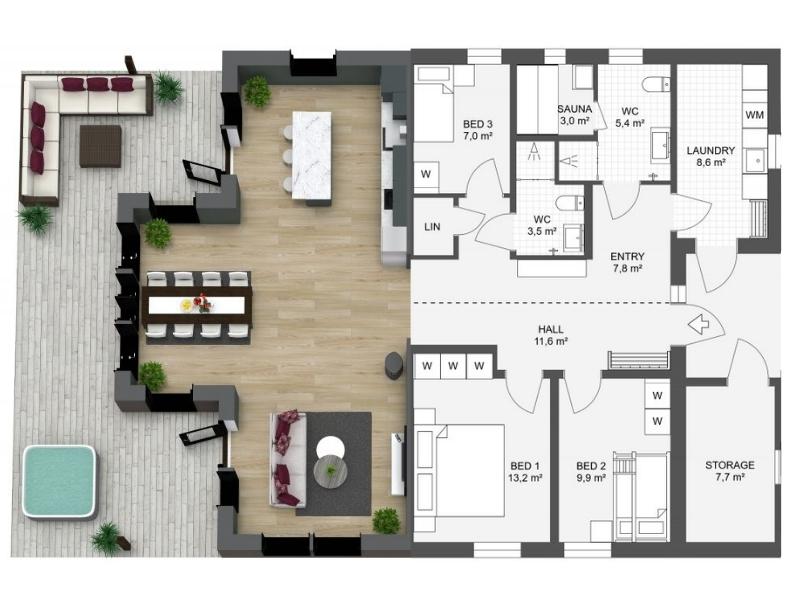
The 8 Best Floor Plan Software Tools
The market is flooded with floor plan software options, each promising to make your processes easier and more efficient. We've put the top tools to the test!
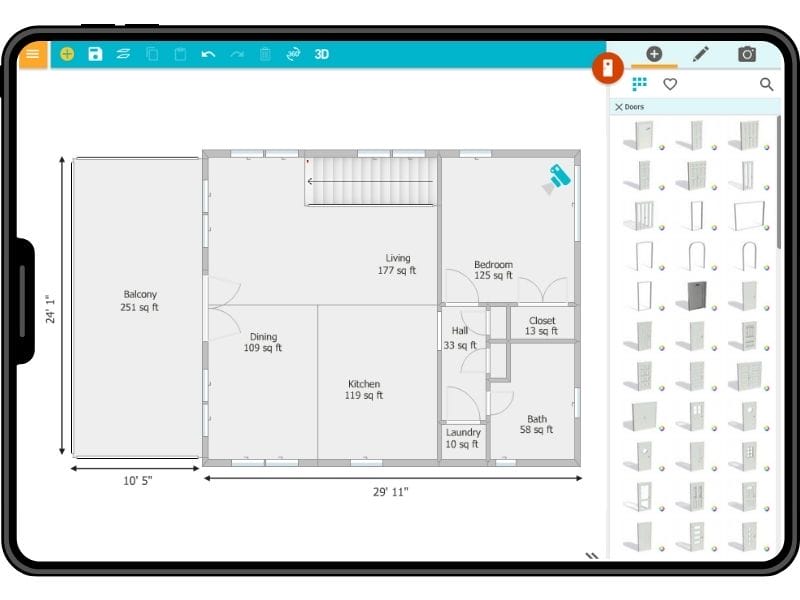
The 8 Best Floor Plan Software for iPad and Tablet
Being able to work from anywhere when working on a floor plan project is important for the process. But which floor plan software should you choose?