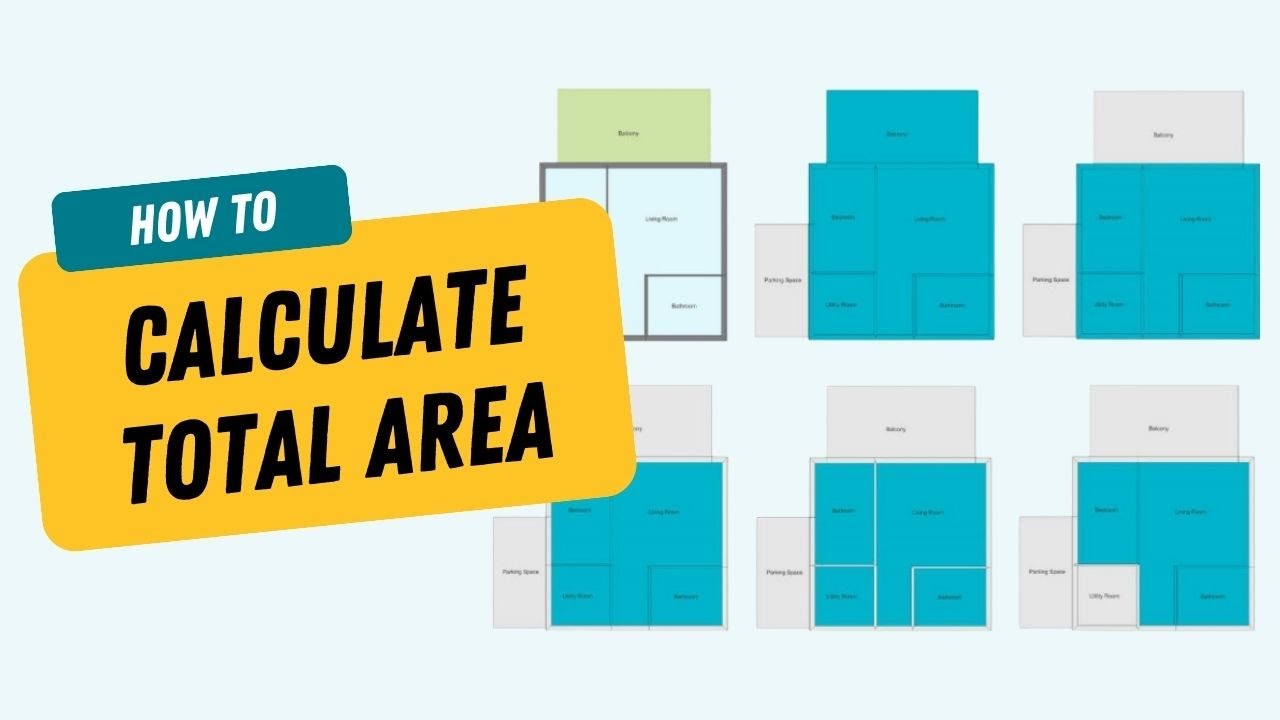
Calculate Total Area
Quickly calculate total area in your floor plans – including Grand Total, Gross Floor Area, Internal Zone Area, and more.
Understand and Use the Total Area Calculator
Total Area measures space in different ways based on regional or project needs. Our calculator includes the six most common international standards and can be accessed from the menu.
Before you begin, make sure you have:
- A complete floor plan with accurate measurements
- Correct zones assigned to all spaces
Watch the video to learn how to use the calculator or read more about what it can do below:
Grand Total Area
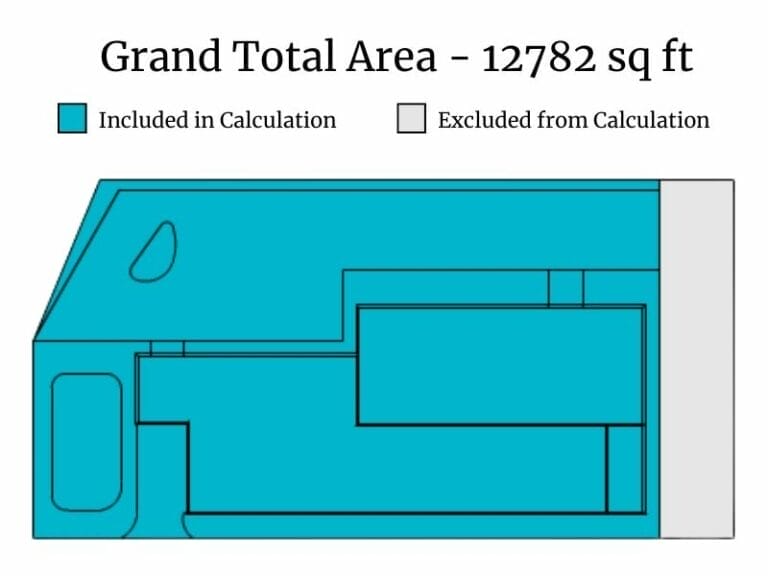
Grand Total Area is the full calculated area of the entire level or project, including all rooms, outdoor areas, and primary and secondary spaces. It gives you the most comprehensive overview of the property’s footprint.
- Best for getting a complete size summary of the building
- Includes everything in the floor plan, except excluded areas
Gross Floor Area
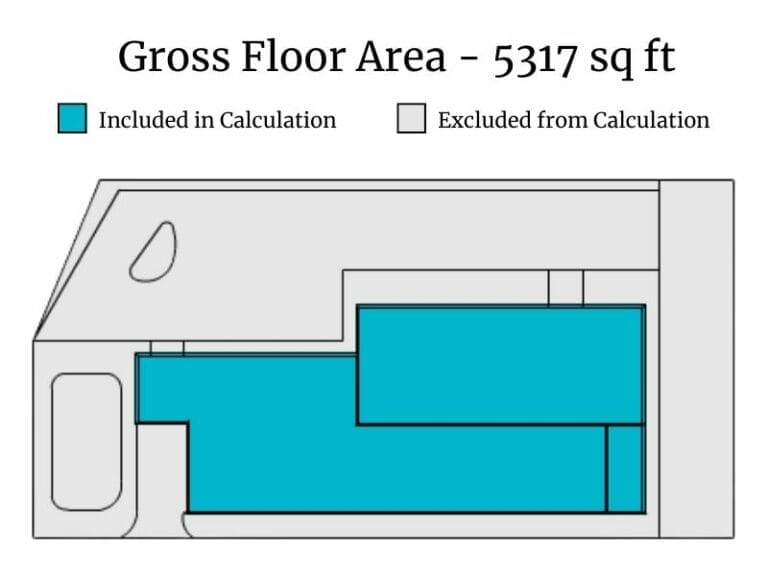
Gross Floor Area measures the total enclosed area within the external building perimeter. It includes internal walls and columns, and is often used for building permits and zoning regulations.
- Measured to the outside face of exterior walls
- Includes staircases, shafts, and structural elements
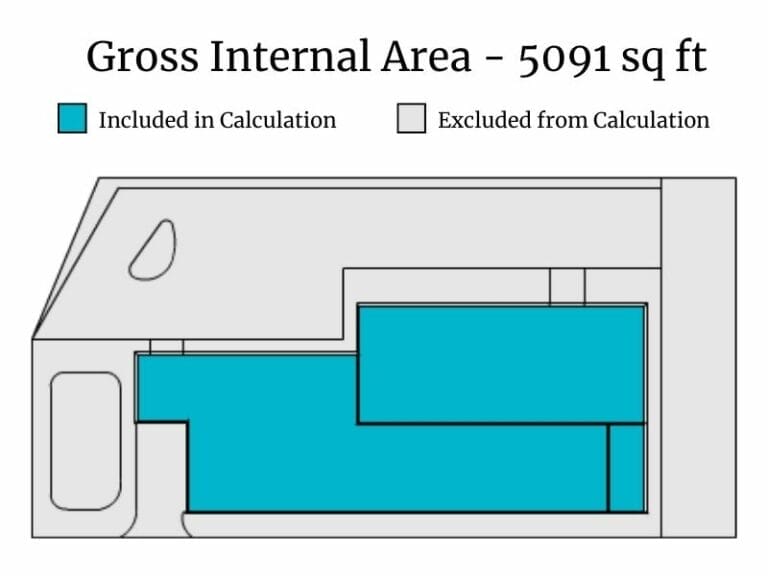
Gross Internal Area
Gross Internal Area is the space within the external walls, including internal partitions but excluding the thickness of the external walls. This measurement is used in real estate and construction, especially in the UK.
- Includes all interior walls and features
- Common for valuations and commercial property listings
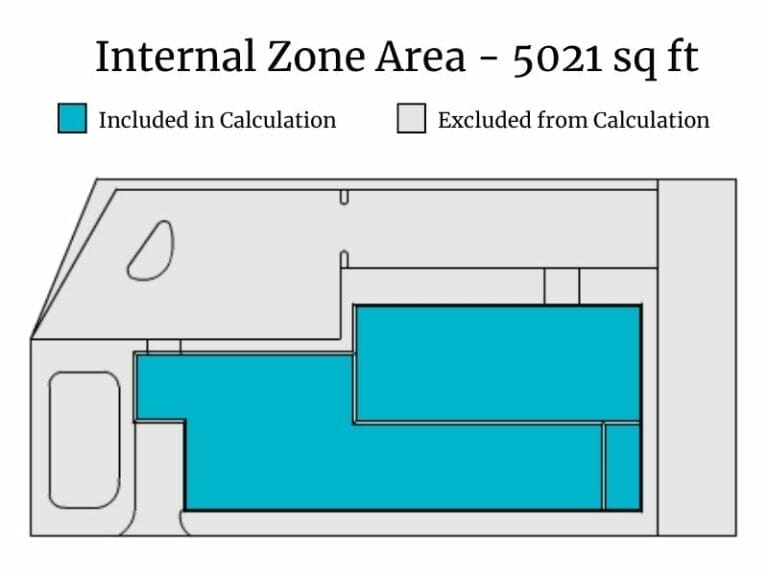
Internal Zone Area
Internal Zone Area calculates only the usable space inside rooms, excluding structural elements like walls and columns. It helps estimate how much space is actually available for living or working.
- Represents the net usable interior space
- Ideal for furniture planning, leasing, or workspace layout
Primary and Secondary Areas
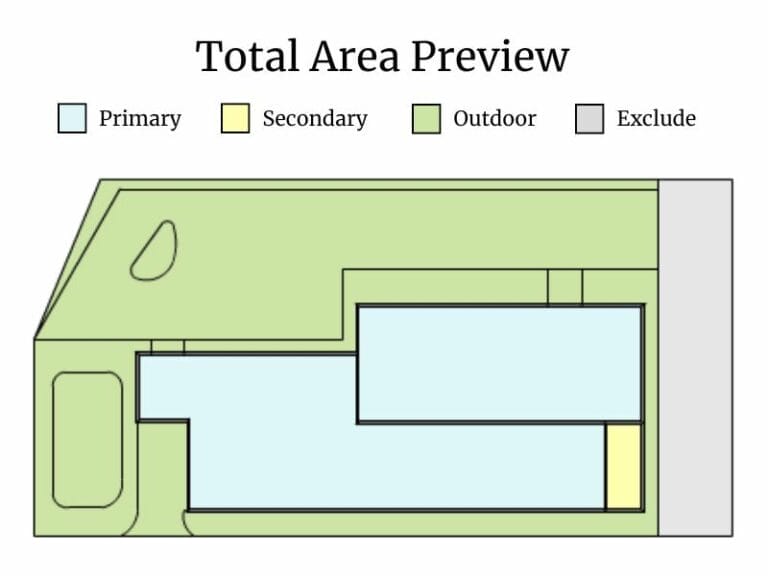
RoomSketcher divides rooms into Primary and Secondary areas based on room type. Primary areas include livable spaces, while Secondary areas cover non-livable or utility spaces. All areas are set to primary by default if no room types are selected.
- Primary: living rooms, bedrooms, kitchens, etc.
- Secondary: garages, outdoor storage, balconies, etc.
- Outdoor: gardens, ponds, parking, etc.
Adjust Your Settings
Depending on your needs, you can calculate the area for a single level or the entire project, and you can switch between square meters and square feet.
- Switch between the Level and Project tabs in the Total Area tool to see the area based on your needs
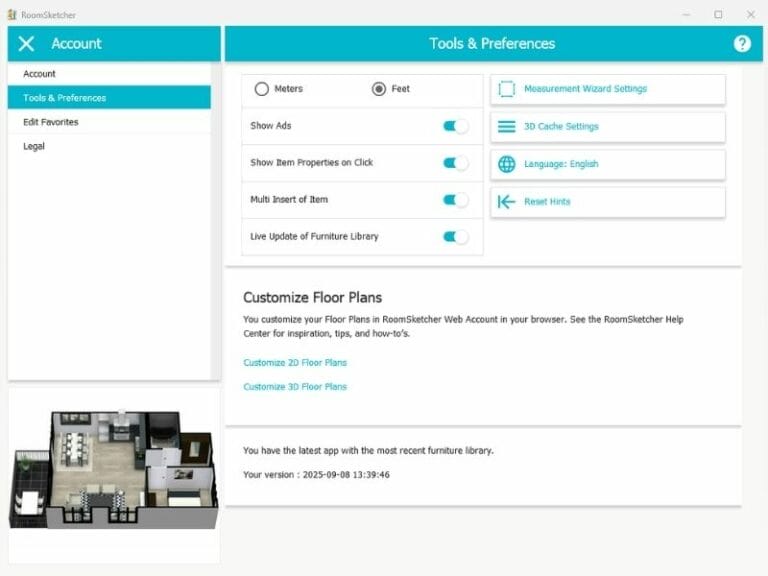
- Change to meters or feet from the Tools & Preferences window
- All total area values update automatically based on your selection