Design an Event Floor Plan for a Seamless Event Experience
A successful event depends on more than choosing the right venue. The way the space is arranged affects how people move, where they gather, what they can see, and how smoothly everything runs.

Quick summary:
An event floor plan shows how the venue will be arranged and helps you plan seating, stages, booths, catering, technology, entrances, and walkways. Start with the event goals, guest count, and venue measurements, then map the main activity areas and traffic flow. The best layout depends on the occasion, from banquet and U-shaped seating to informal lounge groups and flexible mixed-table arrangements.
An event floor plan gives you a clear overview of the venue before setup begins. It helps you position seating, stages, registration areas, food stations, and other key elements while leaving enough room for guests, staff, and vendors to move comfortably.
Whether you are planning a conference, wedding, trade show, or reception, a well-designed layout can improve the attendee experience and make the event easier to manage.
In this post:
Why Do I Need a Floor Plan for My Event?
An event floor plan helps you make better decisions before furniture, equipment, and guests arrive.
Use it to:
- Make the best use of the available space
- Create clear and comfortable walkways
- Position important features where they work best
- Check seating capacity and sightlines
- Plan vendor, staff, and catering access
- Identify possible congestion or safety issues
- Communicate the setup clearly to clients and suppliers
- Visualize the finished event before setup begins
Without a floor plan, it is easy to underestimate how much space furniture, equipment, and circulation routes require.
What Is the Main Purpose of an Event Floor Plan?
An event floor plan shows how the venue will be arranged, from seating and stages to entrances, booths, and service areas. Its main purpose is to make the space work well for attendees, staff, and vendors.
As Isabella Adler of Next Luxury explains:
"A well-designed floor plan increases area usage, boosts attendee flow, and enhances the whole experience during the event. It ensures the proper use of the area, easy navigation, and ideal positioning of the main elements.
An intelligent event space design lets organizers expect any potential challenges, streamline logistics, and create an unforgettable event.”
A clear plan helps you spot problems early, coordinate the setup, and create a smoother experience on the day.

How Do I Make an Event Floor Plan?
To create an effective event space design, you must take several key considerations into account. Start with the purpose of the event, then build the layout around the people, activities, and venue.
1. Define the event goals
Think about what the event needs to achieve and what attendees should be able to do. A conference, trade show, wedding, and gala will each require a different setup.
2. Confirm the size and venue details
Check the expected guest count and record the venue dimensions. Add fixed features such as doors, windows, columns, stairs, restrooms, and emergency exits.
3. Place the main event areas
Mark out the entrance, stage, seating, exhibitor booths, food and beverage stations, and any other important zones. Position the largest elements first, then arrange the smaller details around them.
4. Plan the traffic flow
Create clear routes between the entrance, seating, restrooms, refreshments, and main attractions. Leave extra space around areas where people are likely to gather or queue.
5. Check accessibility and safety
Make sure the layout includes accessible routes, clear signage, unobstructed emergency exits, and enough room for safe crowd movement.
Once these essentials are in place, review the plan as if you were an attendee, vendor, and staff member. This can help you spot problems before setup begins.

How to Maximize Attendee Experience
A good event floor plan should do more than fit everything into the room. It should make the event easy and enjoyable to experience.
Zones
Divide the venue into clear areas based on the event activities.
Possible zones include:
- Registration
- Main stage
- Seating
- Networking
- Food and drinks
- Exhibitions
- Lounges
- Workshops
- Quiet areas
Each zone should be easy to recognize and reach. Furniture, lighting, rugs, signage, or partitions can help define areas without closing off the space.
Interactive displays and hands-on activities should be positioned where people can stop without blocking the main walkways.

Seating arrangements and sightlines
Arrange seating so attendees can see and hear the main content.
Check sightlines from different parts of the room, not just from the front row. Columns, tall decorations, screens, and other guests can block the view.
Leave enough space between chairs and tables for people to sit down and move around comfortably. Consider how the layout will work when chairs are occupied and pulled away from the table.

Technology
Plan audiovisual equipment at the same time as the furniture layout.
Screens should be visible from the intended seating areas, while speakers should distribute sound evenly without creating uncomfortable areas near the equipment.
Keep cables away from walkways or secure them properly to reduce tripping hazards.

Facilitating Smooth Operations
The layout also needs to work for the people running the event.
Share the floor plan with vendors and service providers so they know where to set up and how to access their areas.
Allocate enough space for:
- Registration and check-in
- Catering preparation and service
- Exhibitor setup
- Equipment storage
- Staff breaks
- Backstage activities
- Deliveries and loading
- Waste collection
- Security checkpoints
Separate service routes from guest routes where possible. This allows staff to restock food, move equipment, and handle other tasks without disrupting the attendee experience.
Think about what happens before and after the event as well. Large furniture and equipment need to move through doors, elevators, loading areas, and hallways during setup and breakdown.

Adapting an Event Floor Plan to Evolving Needs
Even a carefully planned event may change.
Guest numbers can increase, vendors may cancel, weather can affect outdoor areas, or the event schedule may be adjusted. A flexible floor plan makes these changes easier to manage.
Prepare alternatives for important parts of the event. You might create:
- A reduced-capacity layout
- An expanded seating option
- A wet-weather layout
- An alternative stage position
- Space for extra tables or booths
- A backup location for outdoor activities
Modular furniture is useful because it can be rearranged quickly. Movable partitions, lightweight tables, and separate seating groups also give you more flexibility.
During the event, observe how attendees use the space. If one area becomes crowded or another is ignored, you may be able to adjust signs, furniture, or activities.
Feedback from guests, staff, and vendors can also help you improve future layouts.

Popular Event Layout Designs
The best layout depends on the event format, the available space, and how attendees are expected to interact.
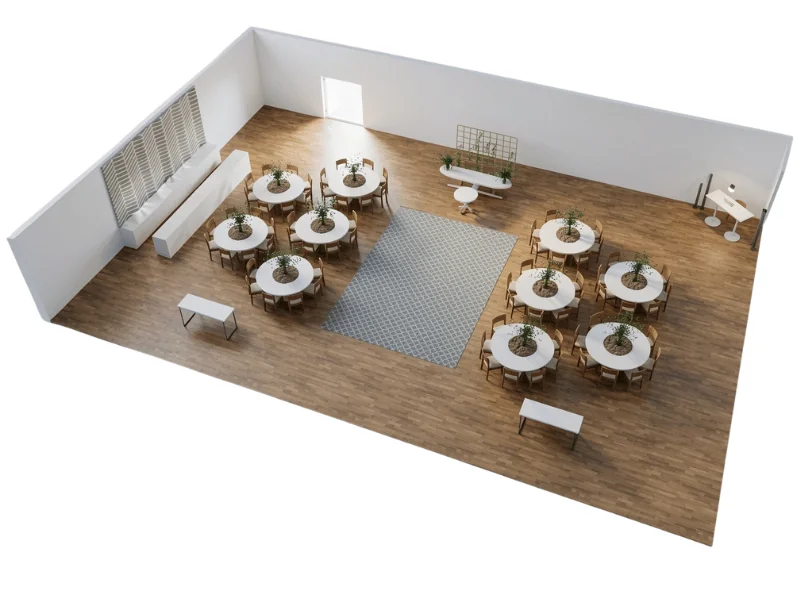
Banquet seating layout
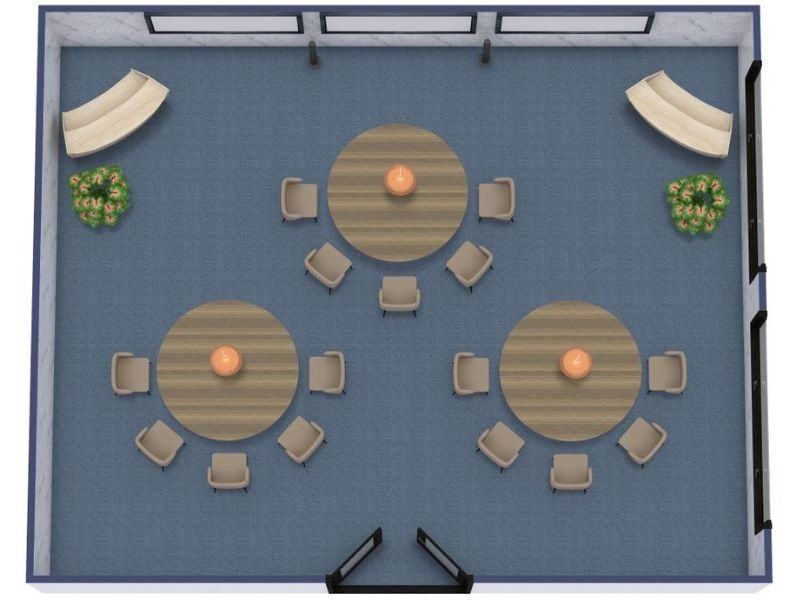
Banquet seating usually consists of round or rectangular tables arranged for dining.
It is commonly used for weddings, galas, award ceremonies, formal dinners, and fundraising events.
This arrangement allows guests to eat and socialize in groups. Make sure there is enough room between tables for chairs, guests, and service staff.
Position the head table, stage, or presentation area where it can be seen from as many tables as possible.
U-shaped seating
U-shaped seating uses rectangular tables arranged around three sides of an open center.
It works well for events such as presentations, workshops, training sessions, and group discussions.
The open end usually faces the speaker or screen. Attendees can see both the presenter and one another, which supports discussion and participation.
This layout requires more space per person than classroom or theater seating, so check the capacity carefully.

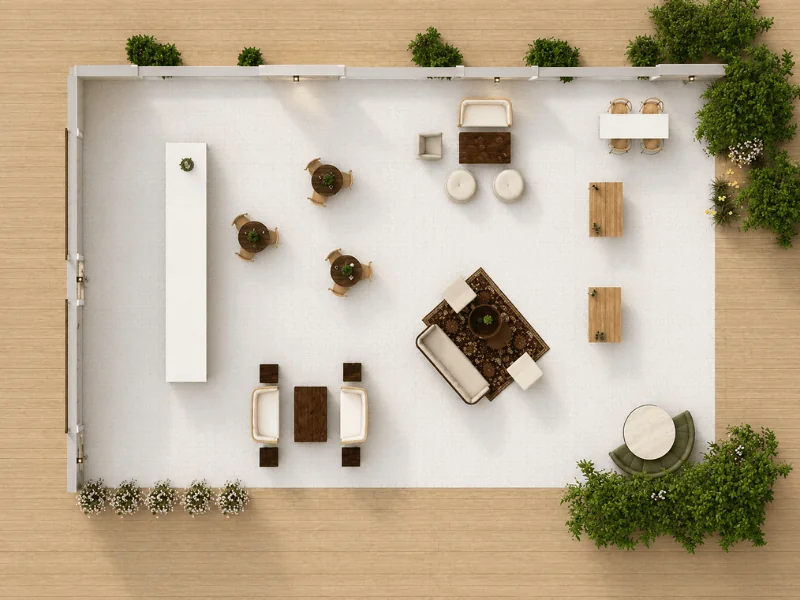
Vignette seating
Vignette seating divides a larger venue into several smaller lounge areas.
Each group may include sofas, chairs, side tables, or low tables. It is a good choice for receptions, cocktail parties, networking events, or other social gatherings.
The smaller arrangements encourage relaxed conversation and give guests several places to gather.
Leave clear routes between each seating group so the room does not feel crowded or difficult to navigate.
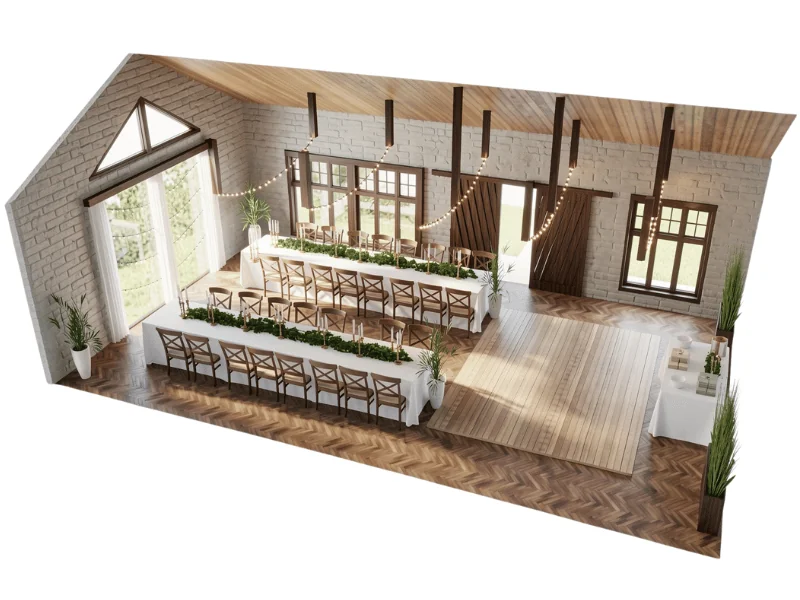
Family-style seating
Family-style seating uses long tables or connected groups of tables to create a communal dining experience.
It is often used for more personal events such as weddings, holiday gatherings, and community dinners.
Guests share food and interact across the table, creating a friendly and inclusive atmosphere.
Check that the tables are not so wide that conversation becomes difficult. Also leave enough room for serving dishes, table settings, and decorations.
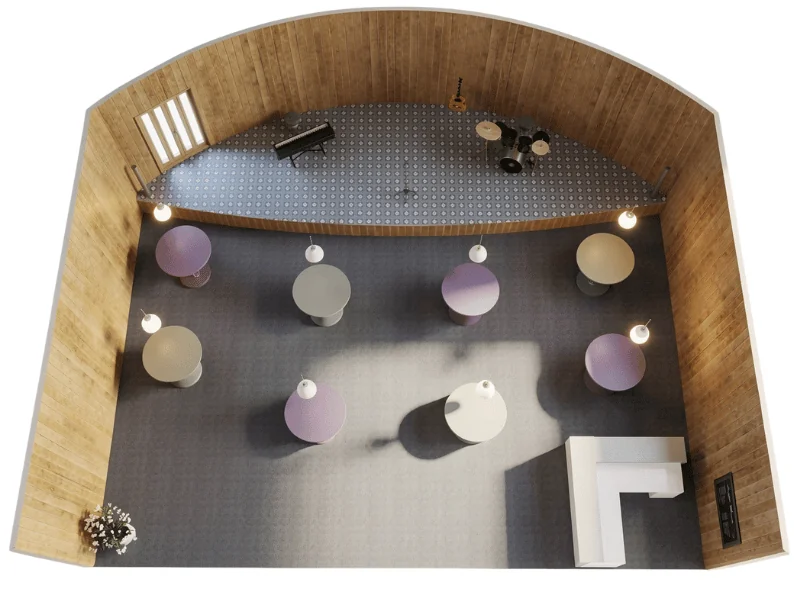
Mix-and-match table seating
This layout combines different table shapes, sizes, and seating styles within the same venue.
For example, you might use round dining tables, high cocktail tables, and small lounge areas together.
It works well for creative events, modern receptions, art exhibitions, and flexible networking events. The variety gives guests different ways to use the space and can create a more relaxed atmosphere.
Keep the overall design connected through a consistent color palette, furniture style, or decorative theme.
Plan and Visualize Your Event with RoomSketcher
All the event layouts and 3D images in this article were created with RoomSketcher.
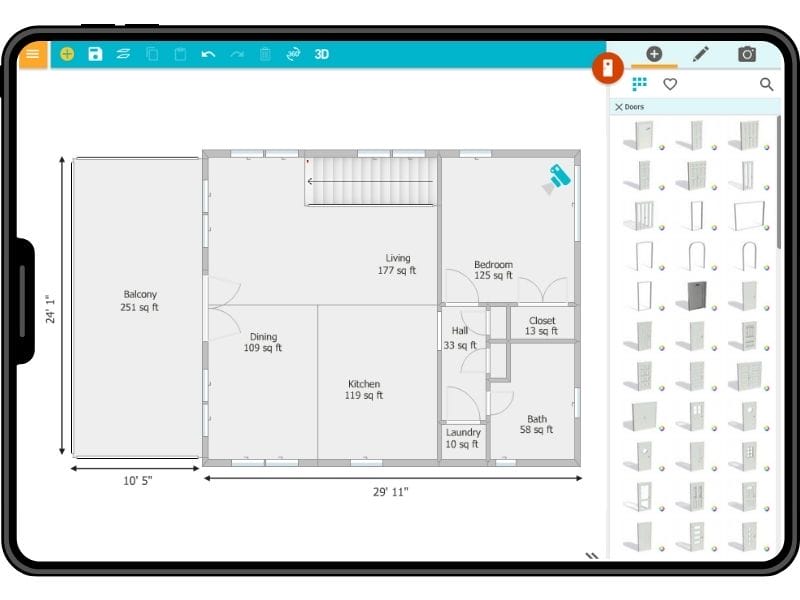
Use the RoomSketcher app to draw the venue, test seating arrangements, place stages and activity zones, and compare different layout options. You can also visualize the finished setup in 3D and share the plan with clients, venues, and suppliers before the event begins.
Frequently Asked Questions
Having an event space floor plan provides numerous benefits. Firstly, it allows organizers to maximize the use of space, ensuring efficient traffic flow and optimal placement of key elements such as stages, booths, and amenities. A well-designed floor plan also enhances the attendee experience by minimizing congestion and facilitating easy navigation throughout the event venue.
Additionally, an event space floor plan aids in effective communication among organizers, vendors, and staff, ensuring seamless coordination and execution of various event logistics.
RoomSketcher is a user-friendly and versatile event layout software allowing you to design and visualize event layouts easily. It offers a wide range of tools and features to help you create detailed floor plans, including drag-and-drop functionality for furniture and objects, customization options for room dimensions, and the ability to add colors and textures.
With RoomSketcher, you can accurately plan the layout of your event, arrange seating arrangements, and experiment with different event layout ideas. Whether you're organizing a wedding, conference, or social gathering, RoomSketcher is an excellent choice for bringing your event floor plan to life.
You can follow a few simple steps to create a floor plan for an event. First, gather the necessary information about the event space, including its dimensions, entrances, and exits. Then, consider the layout and seating arrangements you envision for the event. Next, utilize an event floor plan software like RoomSketcher.
Check out How to Draw Floor Plans with the RoomSketcher App, which offers step-by-step instructions and helpful tips. With a clear vision and the assistance of RoomSketcher, you can design an impressive and functional layout for your event.
Create wide, clear routes and avoid placing popular features too close together. Allow extra room around entrances, registration desks, bars, buffets, restrooms, and other areas where people may queue.
Start with the purpose of the event. Banquet seating suits dining, U-shaped seating supports presentations and discussion, vignette seating encourages informal conversation, and mixed layouts provide flexibility.
Create an initial plan as soon as the venue and approximate guest count are confirmed. Update it as vendors, equipment, attendance, and event details are finalized.
Small changes may be possible, but avoid moving furniture in ways that block exits, accessible routes, or service areas. Prepare alternative layouts in advance when you expect the event requirements to change.
Recommended Reads
How to Choose the Best Conference Room Layout for Your Meetings
If you are planning one or more conference room layouts, you’ll want to think about the goals for each room, learn the typical items with which to furnish a conference room and check out the most common layouts.

Wedding Floor Plans - Design Your Dream Wedding
Wedding floor plans are the best way to plan and visualize your wedding venue.
Why RoomSketcher Is the Best Floor Plan Tool
After careful research, we highly recommend RoomSketcher as the best floor plan tool available. Learn the reasons why RoomSketcher stands out.