Top 9 Floor Plan Software Tools for 3D Floor Plans
3D floor plans turn simple layouts into realistic, easy-to-understand visual experiences. They help people explore design ideas and instantly understand a space. Here's a list of the best floor plan software to use for your 3D floor plans.


✍️Article Summary: RoomSketcher tops the list for its polished 3D Floor Plans, easy customization, fast redraw service, and interactive Live 3D walkthroughs. Other strong contenders include HomeByMe for high-quality 3D styling, Homestyler for decor-focused visuals, and SketchUp for advanced modeling.
3D floor plans provide a more precise representation of a space than traditional drawings. They help people visualize layouts, materials, and furniture with confidence. We've tested the best floor plan software out there to give you a list of the top choices for 3D floor plan creation.
Why Use 3D Floor Plans?
3D floor plans make it easier to understand the layout, flow, and feel of a space. They show depth, scale, and furniture placement in a way 2D drawings can't, so you can explore a property as if you were standing inside it. With realistic materials, colors, and decor, 3D floor plans bring your ideas to life and make it simple to compare different layouts.
Whether you're planning a renovation, designing a new build, or exploring layout options, 3D floor plans give you a clear picture of your project before you commit to any changes.
With 3D floor plans, you can:
- Visualize rooms with accurate furniture, colors, and materials
- Understand spatial relationships and room flow instantly
- Share interactive walkthroughs or 360-degree views
- Compare design options without redrawing layouts
- Present polished, professional visuals that are easy to understand
Who Uses 3D Floor Plans?
From interior designers to builders, 3D floor plans are used by a wide range of people and industries, including:
- Interior designers who want to show clients a realistic preview of a room or a full home
- Homeowners planning renovations or exploring layout ideas
- Builders and contractors who need a visual tool to communicate plans
- Home retailers and furniture planners looking to demonstrate product placement
- Property professionals who want more engaging visuals for presentations and marketing
Top 9 Floor Plan Software Tools for 3D Floor Plans
1. RoomSketcher

RoomSketcher is a complete floor plan software solution that combines accurate 2D Floor Plans with impressive 3D Floor Plans, 3D Photos, 360 Views, and interactive Live 3D walkthroughs. It is built for professionals and people who want polished, presentation-ready results without a steep learning curve.
RoomSketcher offers the most flexible ways to create floor plans. You can draw from scratch, import a blueprint to trace, scan (iOS only), or convert floor plans. You can also order professional floor plans through the redraw service and get editable 2D and 3D Floor Plans back the next business day. Once your project is set up, you can customize colors, materials, room labels, measurements, and even add your logo and disclaimer text. Saved profiles make it easy to keep your 2D and 3D Floor Plans consistent across projects and teams. Regardless of your workflow, RoomSketcher offers the best options for floor plan creation.
RoomSketcher runs on Mac and Windows computers, as well as iPad and Android tablets. You can work offline, then sync projects to the cloud when you are back online, which is ideal if you meet clients on site or travel between properties.
Standout features:
- Drag-and-drop editor for computer and tablet
- Professional 2D and 3D Floor Plans from the same project
- Live 3D walkthroughs with Flyover and Camera modes
- 3D Photos and 360 Views for marketing and client presentations
- Powerful measurement tools and Total Area Calculator
- Redraw service with next business day delivery
- Branded templates with logo, fonts, colors, and disclaimers
- Friendly support with tutorials, webinars, and 1:1 training for businesses
- Easy enough for beginners, powerful enough for pros
- Works offline and on multiple devices
- Flexible pricing, including pay-as-you-go
Join over 10 million people who already use RoomSketcher
2. HomeByMe

HomeByMe is a 3D home design tool for when you want to explore mood, ambiance, and styling. It lets you draw floor plans, furnish spaces with brand name products, and create high-quality 3D images. You can walk through your project in 3D, adjust lighting, and render scenes in high resolution.
For floor plans, HomeByMe provides both 2D and 3D views, but its primary focus is interior styling rather than branded architectural output. Export options are more screenshot-based, and there are fewer tools for setting up reusable floor plan templates with logos, fonts, and consistent styles.
Pros:
- Impressive 3D images with advanced lighting controls
- Good for testing finishes, mood, and decor
- Browser-based with companion apps
Cons:
- Fewer tools for branded floor plan templates
- Relies heavily on an internet connection
Read our full HomeByMe review.
3. Homestyler
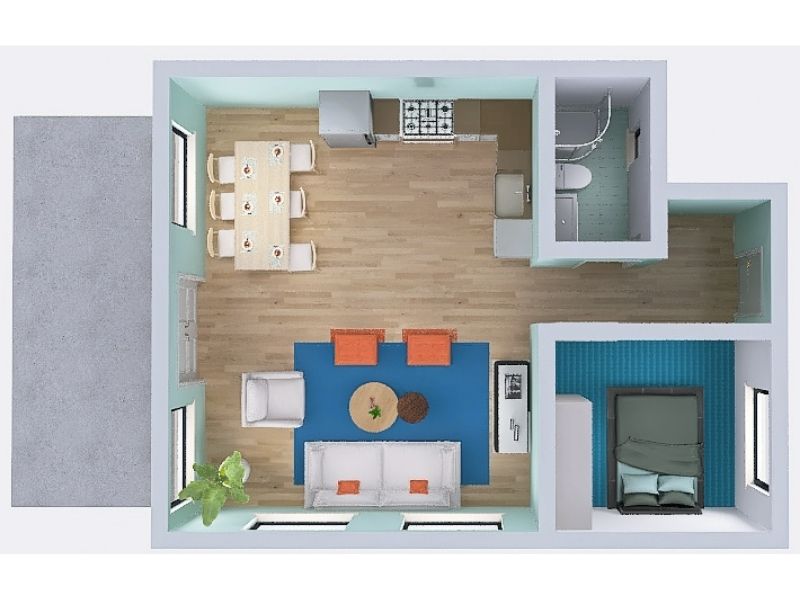
Homestyler focuses on interior decorating and visual styling. You can sketch layouts, apply flooring and wall finishes, and furnish rooms with a large catalog of furniture and decor items, including real brands. Its rendering engine can create attractive 3D views and 4K images for an extra fee.
It's a good fit if you care about decor visuals and less about technical floor plan standards. Custom branding options and detailed 2D floor plan styles are limited, and there is no redraw service for turning hand sketches into ready-made projects. Homestyler primarily runs in a browser, so a stable internet connection is important.
Pros:
- Strong visual focus and interactive 3D images
- Wide range of furniture and decor items
- Good for concept mood boards and styling ideas
Cons:
- Limited floor plan branding and style templates
- No built-in redraw service
- Some premium items and features are locked behind a higher tier
Read our full Homestyler review.
4. SketchUp
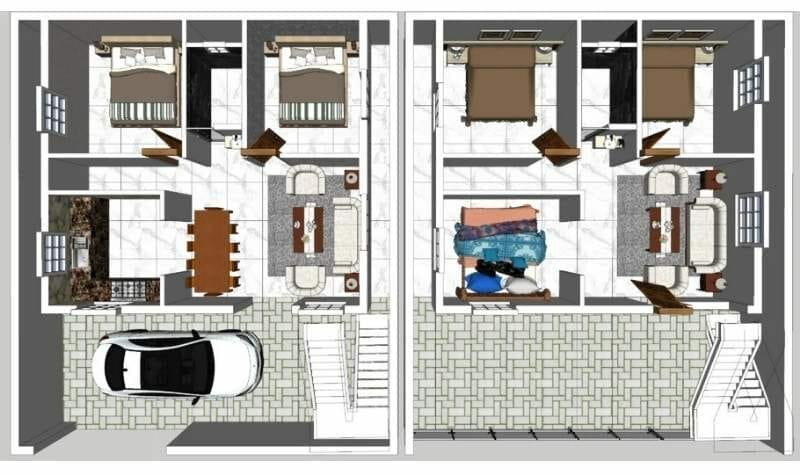
SketchUp is a well-known 3D modeling platform used for architecture, interiors, and product design. It gives you full control over geometry and is flexible, which makes it popular among experienced designers and architects.
For 3D floor plans, SketchUp can produce very detailed results, but the process is more manual. You draw lines, construct walls and rooms, and often rely on third-party plugins for realistic rendering and styled floor plan output. Building both 2D and 3D floor plans typically requires separate setups, so simple changes can mean twice the work.
Pros:
- Complex 3D models
- Large ecosystem of objects and plugins
- Suitable for advanced, custom projects
Cons:
- Steeper learning curve than dedicated floor plan tools
- 2D and 3D floor plans are not generated automatically
- High-quality rendering usually requires extra plugins or services
Read our full SketchUp review.
5. Cedreo
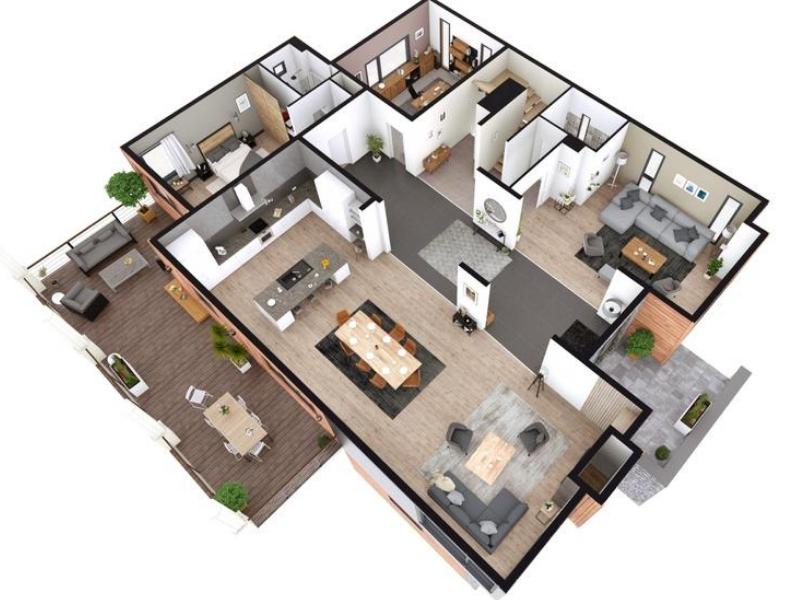
Cedreo is designed for home builders and remodelers who want 2D and 3D representations of new construction projects. It lets you draw walls, add openings, place furniture, and view the design in 3D. The built-in camera can generate rendered views of both interiors and exteriors.
Users benefit from a professional toolset, but the interface can feel complex and less intuitive, especially if you're new to design software. Some editing behaviors, such as working in 3D mode and controlling material changes, can be confusing. The software is browser-based, and support for tablets or offline use is minimal.
Pros:
- Suited for builders who need complete house layouts
- Supports 2D and 3D workflows
Cons:
- Steeper learning curve and complex UI
- Browser only, with no tablet editing
- No redraw service for floor plans
Read our full Cedreo review.
6. Floorplanner
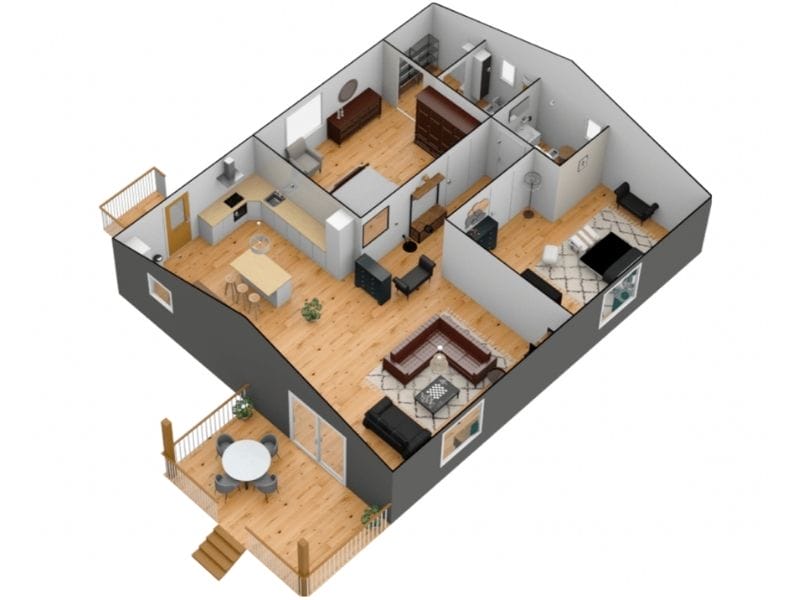
Floorplanner is a browser-based tool that helps you create simple 2D and 3D layouts quickly. It offers a large furniture library and straightforward drawing experience, which makes it popular with real estate agents and DIY users.
You can generate 3D views and export images, and the rendering quality is quite good, especially at higher tiers. However, advanced measurement features, total area calculations, and branded templates are limited. Tablet use can be frustrating due to interface constraints, and there is no in-house redraw service for converting sketches to floor plans.
Pros:
- Easy to start with a web browser
- Large catalog of furniture
- Reasonable 3D rendering options
Cons:
- Limited technical measurement and area tools
- No dedicated tablet app, and some layout issues on small screens
- Extra export sizes and quality often cost more
Read our full Floorplanner review.
7. Planner 5D
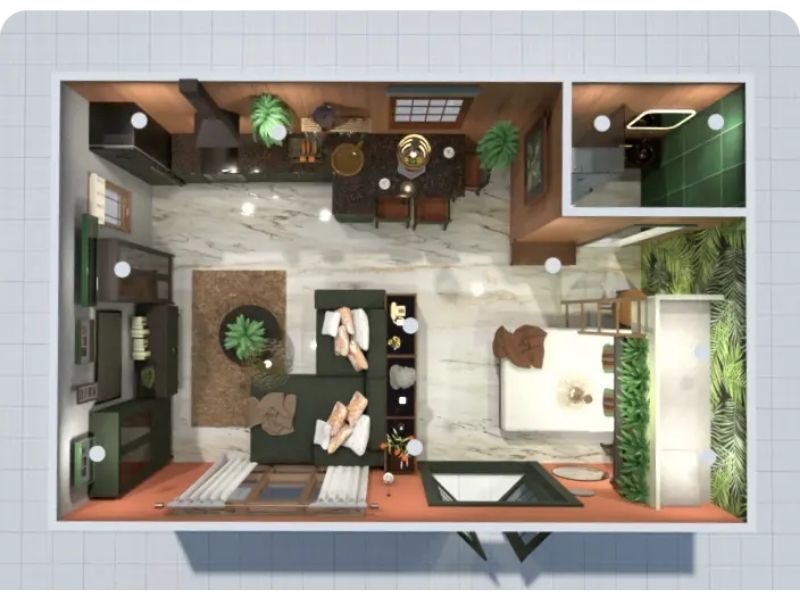
Planner 5D is a home design app for desktop and tablet, targeting DIY users and design enthusiasts. You can draw rooms, add furniture, and switch between 2D and 3D views. Its library covers many styles, and it is fun for experimenting with layouts and decor.
For 3D floor plan needs, Planner 5D can visualize your project from different angles, but performance can lag on some devices, especially with larger projects. Measurements and area tools are basic, and getting clean 2D exports usually means taking screenshots instead of generating dedicated floor plan images.
Pros:
- Accessible for beginners and casual users
- Works on desktop and tablet
- Good variety of furnishings
Cons:
- Lag and performance issues on some devices
- Limited professional 2D export options
- Fewer advanced measurement and branding tools
Read our full Planner 5D review.
8. Houzz Pro
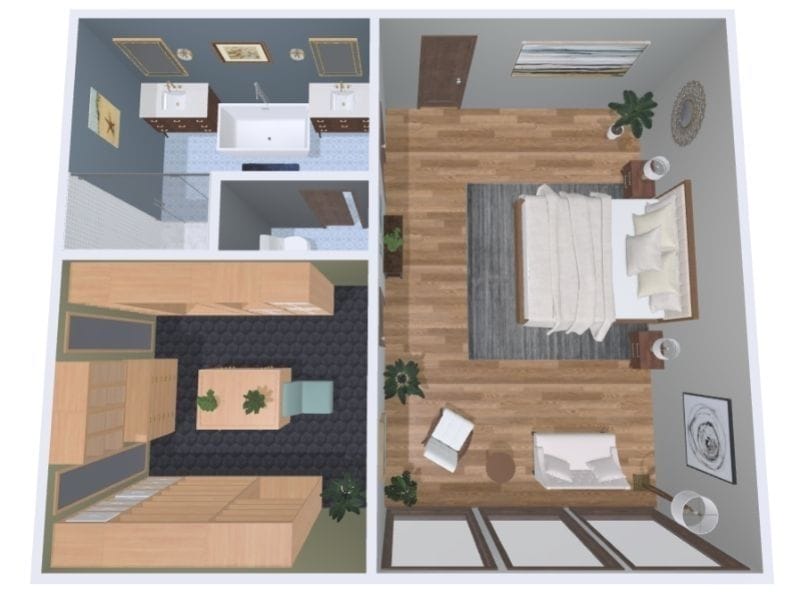
Houzz Pro includes a 3D Floor Planner as part of a broader business platform for interior designers and contractors. If you already use Houzz for leads, invoicing, and client communication, the floor planning tool can fit neatly into your workflow.
You can create 2D and 3D floor plans, generate interior images, and present designs to clients using walkthrough-style views. However, customization options for branded floor plans are more limited, and there is no redraw service. Pricing is bundled into yearly subscriptions that cover the full Houzz Pro suite, which is generally more costly and less flexible than tools that sell floor planning separately.
Pros:
- Integrated into the Houzz ecosystem
- 2D and 3D planning plus walkthroughs
- Good for designers who already use Houzz Pro
Cons:
- Fewer options for branded floor plan styles
- No built-in redraw service
- Annual plans with a higher overall cost
Read our full Houzz Pro review.
9. BoxBrownie.com
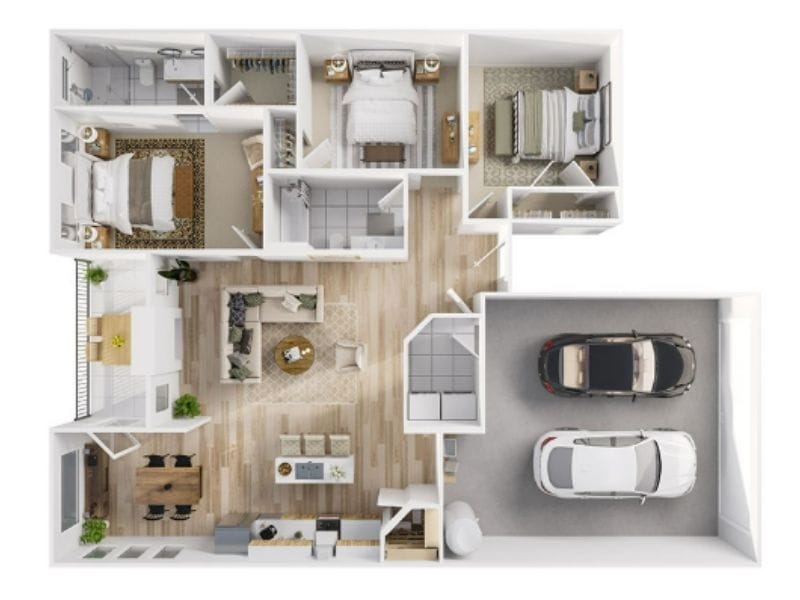
BoxBrownie.com is a service-based platform rather than a drawing tool. You upload sketches, photos, or existing floor plans, and their team returns polished 2D and 3D floor plans, site plans, and edited property photos. It's ideal if you prefer to outsource the work instead of creating everything yourself.
For floor plans, BoxBrownie offers several style presets, including black and white, color, and material-based views. You do not draw or edit the project directly, so any changes usually mean placing a new order or requesting revisions. This approach is convenient for one-off listings, but it limits your control over ongoing updates and styling.
Pros:
- Done for you floor plan and photo services
- Good for quick upgrades to real estate marketing material
- No need to learn a design app
Cons:
- You cannot edit plans yourself
- Style changes and revisions may add cost and time
- No Live 3D or fully interactive floor plan views
Read our full BoxBrownie review.
Get Started with RoomSketcher Today
If you're looking for an easy-to-use floor plan tool that doesn't sacrifice power or professional features, RoomSketcher is the perfect fit.
But don't just take our word for it. Create an account today and explore the features yourself!
Frequently Asked Questions (FAQ)
Yes, you can! By using a floor plan software like RoomSketcher, you can create your house in 3D. That way, you can get a 3D Floor Plan, Live 3D walkthroughs, and 3D Photos. You can customize your floor plans with furniture, colors, and labels to suit your personal style.
You can create 3D house plans with the RoomSketcher app. You can draw the floor plan yourself, trace over a blueprint, or send a sketch through the redraw service. The redraw service has a next-business-day turnaround, and you receive fully editable floor plans in return that can be customized to your liking or used as is.
RoomSketcher is the overall best 3D home design software. It's easy to use, has polished, professional results, and features like Live 3D walkthrough and 3D Photos. RoomSketcher offers an intuitive drag-and-drop editor and a constantly updated library of furniture and materials.
Recommended Reads
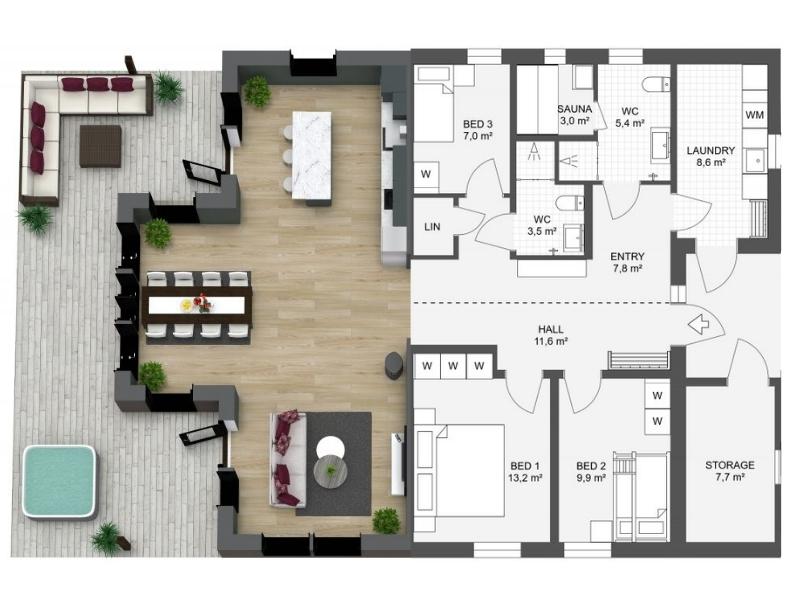
The 8 Best Floor Plan Software Tools
The market is flooded with floor plan software options, each promising to make your processes easier and more efficient. We've put the top tools to the test!
The 9 Best Floor Plan Software Tools for Interior Designers
Looking for that perfect software for your interior design projects? Look no further! We've gathered a top 9 list for you. Using a floor plan software is the best way to showcase an interior design project.
How to Plan and Design a Tiny House
The Tiny House Movement is gaining popularity, with the appealing idea of living a simpler life in a simpler place. A “tiny house” is a very small dwelling, usually less than 400 square feet (about 40 m2).