7 Clever Ways Interior Designers Use AI in Their Workflows
How much time do you spend taking notes, searching for project details, or preparing client presentations? Here are seven ways AI can make those tasks easier.
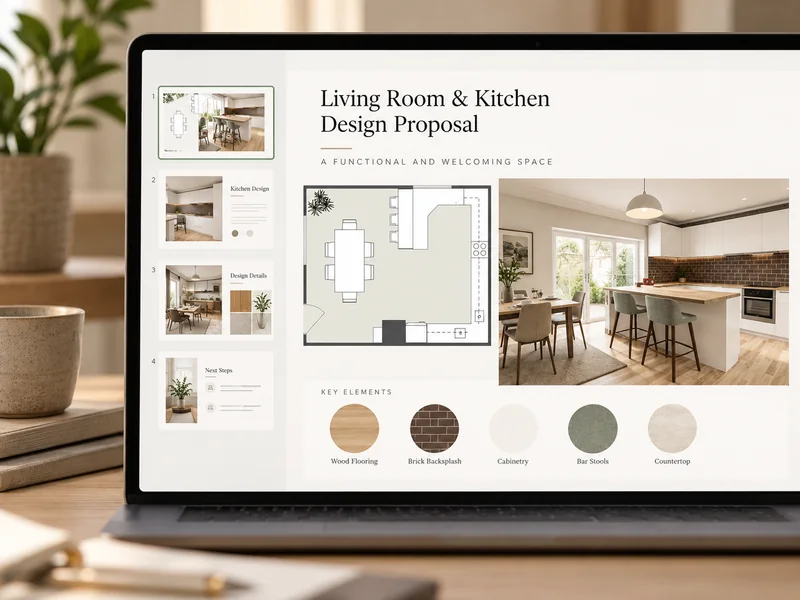

Article summary:
Interior designers can use AI to save time on client meetings, project organization, design research, floor plans, visualizations, product sourcing, presentations, and task management. Tools like Otter.ai help capture client conversations, Claude organizes project information, and RoomSketcher uses AI to create editable floor plans and realistic interior visuals. Google Lens helps find real products that match design concepts, while Gamma and ClickUp simplify presentations and follow-ups. These tools help designers reduce administrative work, explore ideas faster, and communicate designs more clearly with clients.
AI is becoming a bigger part of how interior designers work. According to 1stDibs' 2026 Designer Trends Survey, the use of tools like ChatGPT and Midjourney has tripled, from 9% of designers surveyed in 2023 to 29% in 2025.
And designers are already seeing the benefits. A 2025 Houzz study found that construction and design businesses using AI save more than three hours a week on average, with fewer manual tasks and better organization among the main benefits.
But with so many AI tools available, which ones are actually worth trying?
We've picked seven practical ways to use AI throughout your interior design workflow, from your first client meeting to the final follow-up.
1. Transcribe Client Meetings
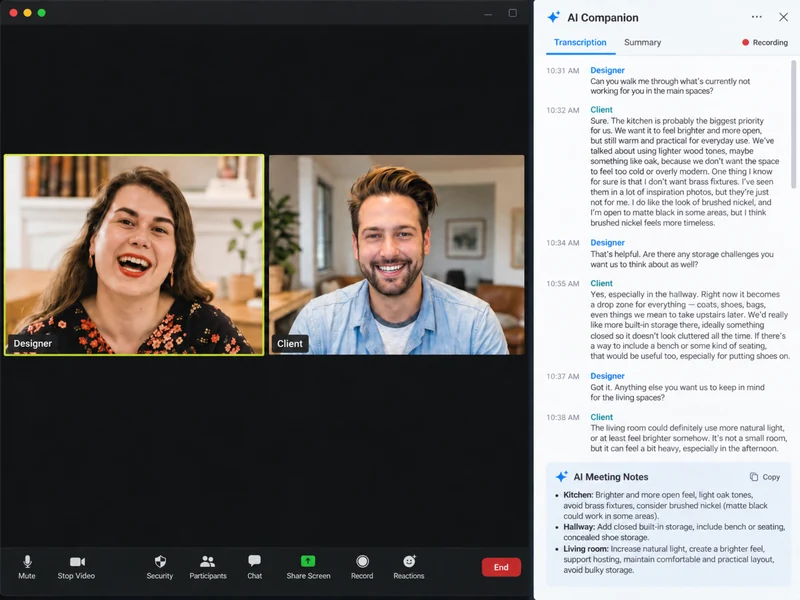
AI transcription tools can record client meetings and turn conversations into written notes.
During a property walkthrough, you're often discussing layouts, taking measurements, and asking questions at the same time. A client might casually mention that they don't like brass fixtures or want more storage in the hallway. These small details are easy to forget when you're focused on everything else.
For in-person meetings, you can use an app like Otter.ai on your phone. Simply start recording before the walkthrough and let it run as you move through the property.
For virtual meetings, tools like Zoom and Microsoft Teams offer built-in AI transcription and meeting summaries, depending on your plan. You can turn these on directly in your meeting software.
Afterward, you can use AI to organize the transcript into a design brief, pull out preferences for each room, or create a list of questions to follow up on. You can also search previous conversations when you need to check what a client said about a particular material or layout.
❗Privacy
Remember to always ask for permission before recording a meeting, and double-check the AI-generated notes. Names, measurements, and technical details can sometimes be transcribed incorrectly.
2. Organize Project Information
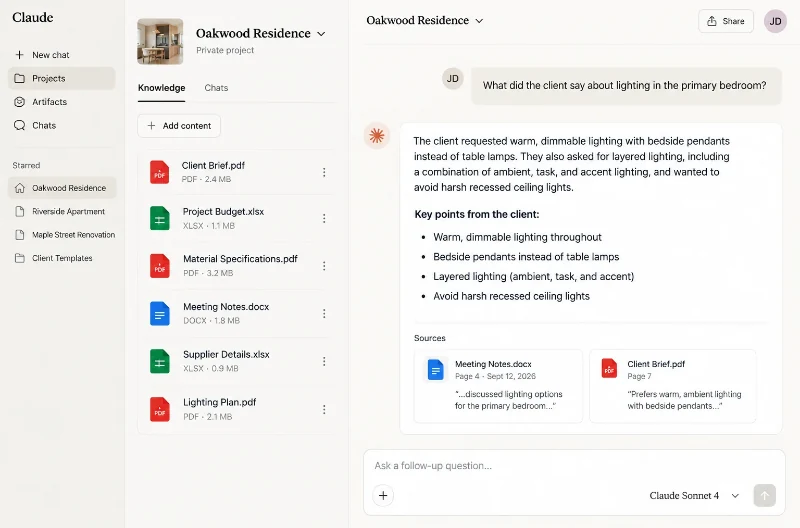
AI tools can help you organize project documents, emails, and meeting notes so you can find the information you need without searching through multiple files.
Think about how much information you collect during an interior design project. Client preferences might be in an email, measurements in a PDF, supplier details in a spreadsheet, and decisions in your meeting notes. Finding a specific detail can mean going back through several documents.
With Claude Projects, you can create a separate workspace for each project and upload relevant information, such as the client brief, budget, specifications, and meeting transcripts.
Once everything is there, you can ask questions about your project instead of searching through the files yourself. For example:
- What did the client say about lighting in the primary bedroom?
- Which materials have we already ruled out?
- What decisions are still outstanding for the kitchen?
- Summarize the changes requested in our last two meetings.
Claude uses the information you've provided to find answers and summarize details from different documents. You can also add new information as the project progresses, so you have an updated reference when you need it.
3. Find Design Inspiration
Research trends
Instead of reading through dozens of trend reports and design articles, add them to Google NotebookLM. You can then ask questions like "Which materials are becoming popular in kitchen design?" or "What are the main color trends for 2027?" NotebookLM summarizes information from your sources and shows you where it found the answers. You can even turn the articles into an audio overview to listen to while doing other work.
Explore the home's architecture
Working on an older property? Try asking ChatGPT about its architectural style. For example, "What features are typical of a 1930s functionalist house, and which are worth preserving during a renovation?" This can give you ideas for materials, finishes, and original details to investigate further.
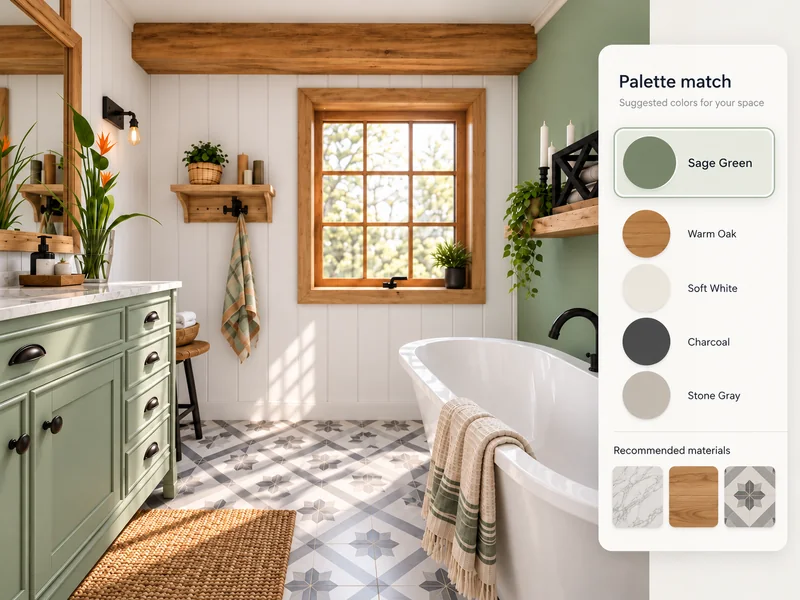
Brainstorm color combinations
Khroma uses AI to suggest palettes based on 50 colors you select. It's useful for exploring combinations you might not have considered. If your client wants to keep their dark green sofa, for example, you can try different palettes that work with it.
4. Create Floor Plans and Interior Visuals
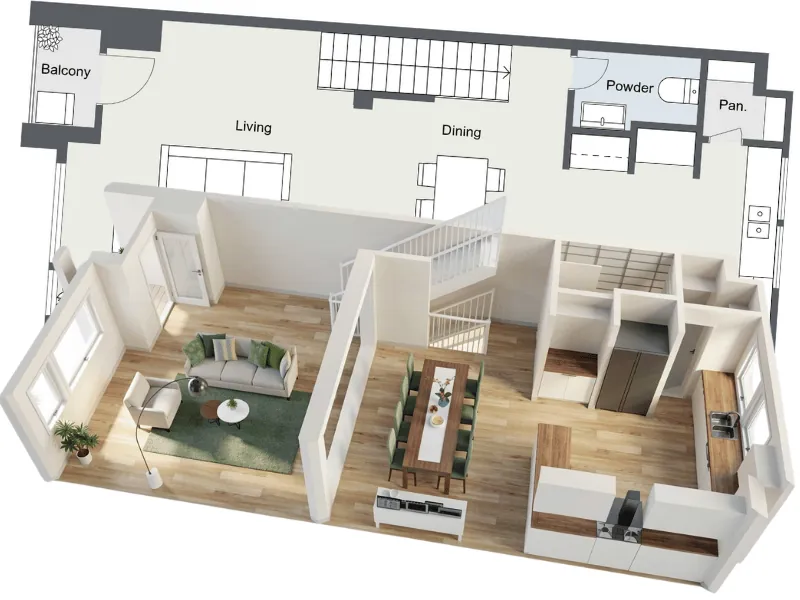
AI can help you create floor plans in seconds and quickly visualize different design ideas for your clients.
With RoomSketcher, you can use AI to get a head start on your floor plan. If you're visiting a property, use your iPhone or iPad with LiDAR to capture the space with FloorCapture. Already have a floor plan? Simply upload it with AI Convert, and AI turns it into an editable digital floor plan in seconds.
Once you have your layout, you can add furniture, try different arrangements, and make changes in the RoomSketcher app.
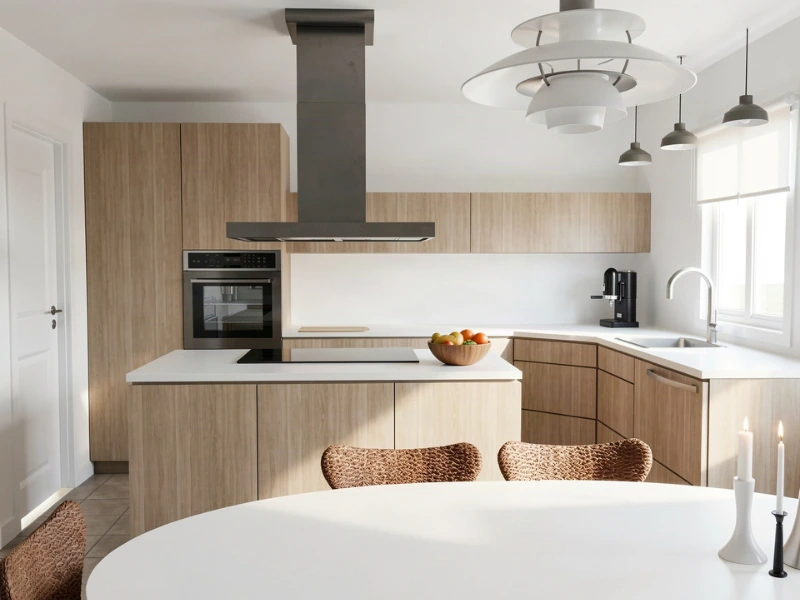
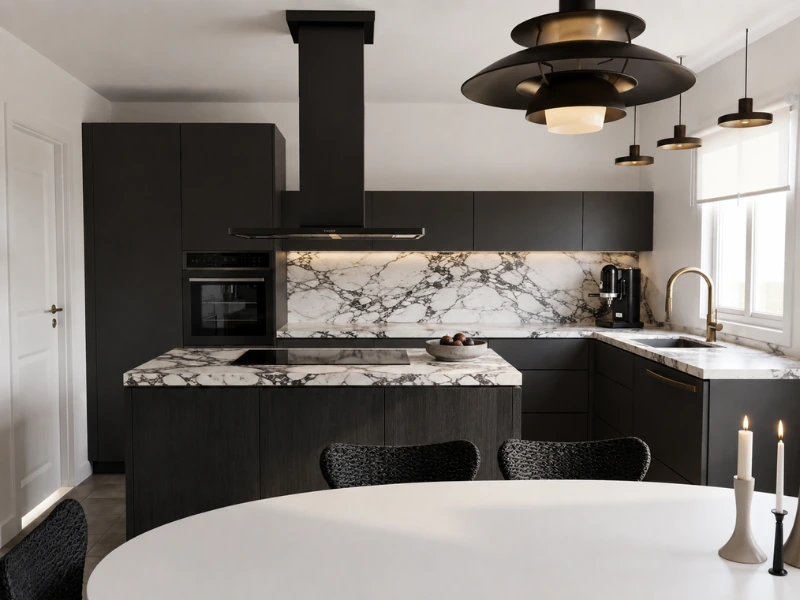
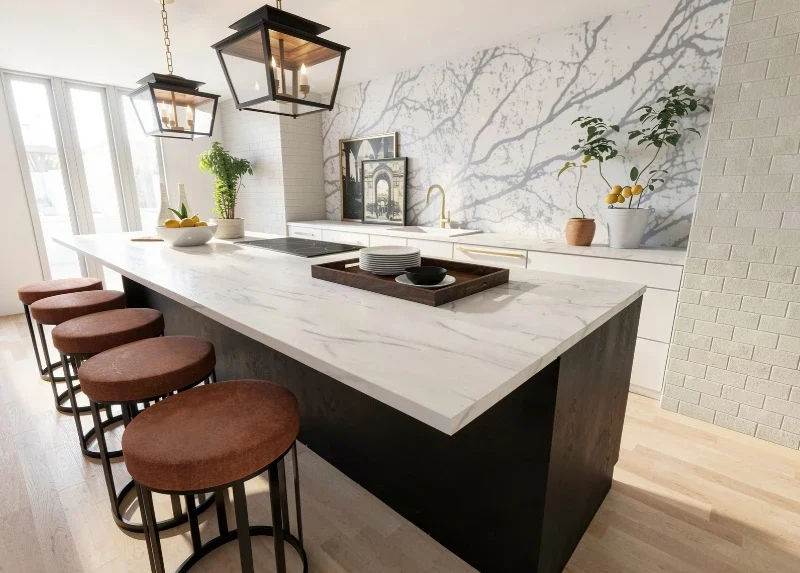
With AI Render, you can turn your floor plan into photorealistic interior visuals in seconds. Unlike general AI image generators, RoomSketcher is built specifically for floor plans and home design, so your renders start with your actual room layout, including the walls, windows, and furniture you've placed.
You can quickly try different styles, describe changes using text prompts, or upload reference images of furniture and materials you want to include.
For example, if a client wants to compare dark and light kitchen cabinets, you can generate both options in seconds, using the same room layout. This makes it easier to explore ideas and get feedback without creating each visual from scratch.
5. Source Products
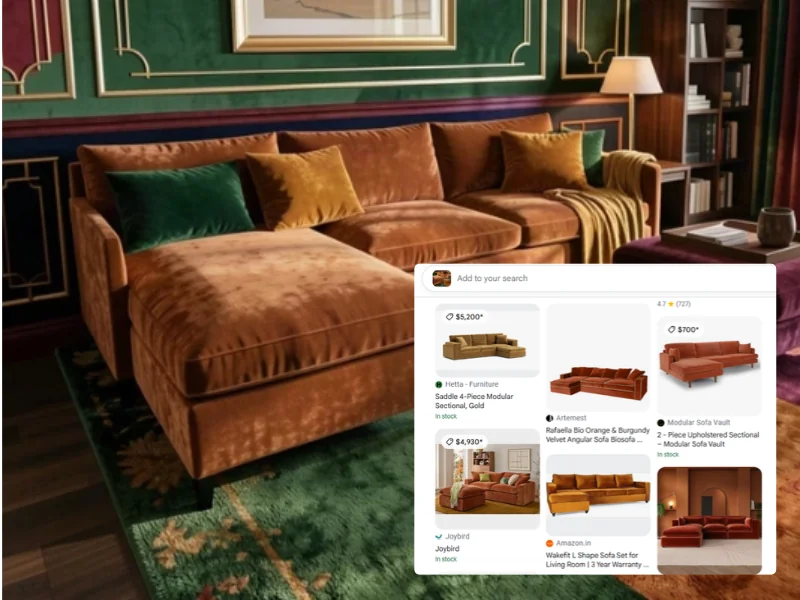
Visual search tools can help you find real furniture and decor that look similar to items in your renders.
Say you've created a living room with AI Render, and your client loves the sofa in the image. The only problem is that the sofa might not be a real product you can buy.
With Google Lens, you can take a screenshot of your render, select the sofa, and search for similar products available online. You'll get results from different retailers, often with prices and links to their websites.
You can also narrow your search by adding details like "velvet fabric" "curved back," or "under $1,000" to find options that better match your intention.
6. Create Client Presentations
Putting together a client presentation takes time, especially when you have floor plans, design renders, mood boards, and product images to organize.
Gamma is an AI presentation tool that can help you create a professional-looking slide deck in minutes. Give it a short description of your project or paste in an outline, and it generates a presentation with slides, headings, and layouts that you can edit.
For example, you could give Gamma an outline covering the client's goals, your proposed layout, design options, budget, and next steps. Once the first draft is ready, add your RoomSketcher floor plans, AI Renders, material samples, and product images to show the client what you're proposing.
You don't need to spend time arranging every slide yourself, and it's easy to make changes as the design develops.
When you're happy with the presentation, you can share it with your client using a link or export it as a PDF or PowerPoint file.
Recommended Read: How to Use AI in Interior Design Presentations (Without Misleading)
7. Track Tasks and Follow-Ups
Keeping track of who's doing what can be a challenge when you're managing several interior design projects at once.
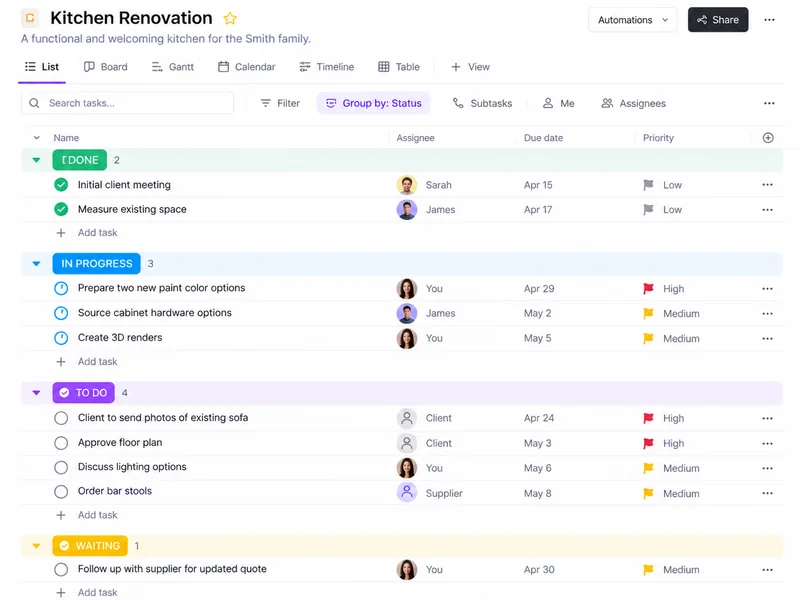
Many project management tools like ClickUp and monday.com have built in AI tools that can help by turning meeting notes and conversations into tasks with assigned owners and deadlines.
For example, during a client meeting, you might agree that the client will send photos of their existing sofa by Thursday, while you'll prepare two new paint color options before the next meeting.
Instead of manually adding these to your task list, AI can identify the action items in your meeting notes and turn them into tasks. You can then assign them to the right people, set deadlines, and track what's been completed.
This is very useful when you're coordinating several people on the same project. You can see which decisions are still waiting for client approval, which supplier quotes need following up, and what needs to happen before the next meeting.
Test One Tool at a Time
With so many AI tools available and new ones appearing all the time, it can be hard to know where to start.
Jessica Nelson, principal designer at Etch Design Group, encourages interior designers to lean into AI and give it a try. Her advice is simple: “You don’t have to tackle everything at once, just tackle one tool at a time.”
Start with something you spend a lot of time on, whether that's taking notes during client meetings or preparing presentations. Try one tool on a real project and see if it makes your work easier.
AI won't replace your design skills. But it can take care of time-consuming admin work, and make it easier to communicate your ideas.
That means more time to focus on the design itself and deliver better results for your clients.
Try RoomSketcher for Free
Want to try AI on your next interior design project? RoomSketcher is an easy place to start.
Unlike general AI image generators, RoomSketcher is built specifically for floor plans and home design. You work with an editable floor plan with real measurements, so your AI Renders start with the actual room layout rather than a space imagined by AI.
Use AI to turn existing floor plans into editable projects, try different interior styles, and create photorealistic renders in seconds. You can explore ideas quickly while keeping full control over your floor plan.
Create a free account today and try the floor plan tools, AI Convert, and AI Render. You'll get free Credits to get started, with no credit card required. When you need more projects or advanced professional features, you can upgrade anytime.
Recommended Reads
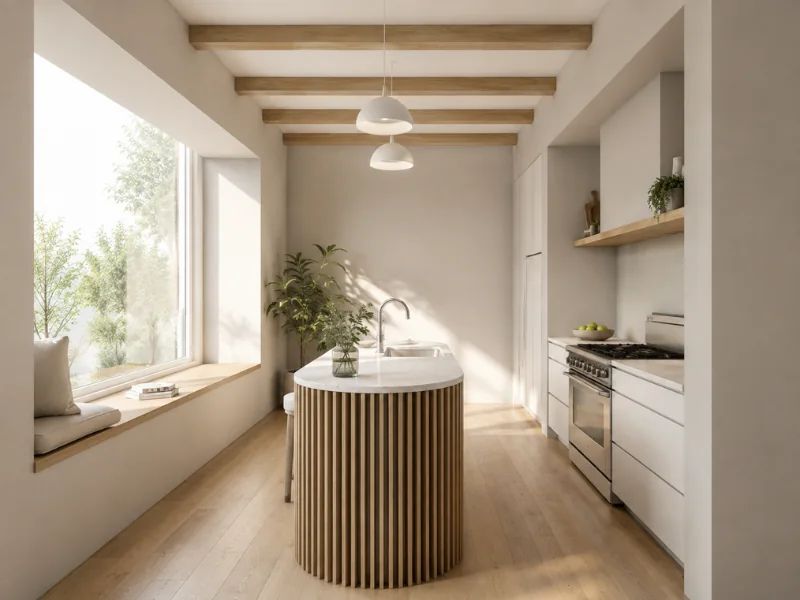
How to Create Photorealistic Floor Plan Visuals with AI
Want to see how your floor plan could look in real life? Learn how to prepare your layout, choose the right view, and use AI Render to create lifelike interior images and photorealistic 3D Floor Plans.

How Interior Designer Debbie Bryant Wins Clients with RoomSketcher
Interior designer Debbie Bryant knows that winning clients starts with clear communication. With RoomSketcher, she turns ideas into visuals her clients can instantly understand and get excited about.
How RoomSketcher became Interior Designer Katie Christensen’s “magic wand”
Why is RoomSketcher the right software for interior designers? We spoke with Katie Christensen, a RoomSketcher user and a professional interior designer with almost 30 years of experience, for her thoughts on the matter.