FloorPlanCreator.net vs RoomSketcher: Which Floor Planning Tool Is Better?
Looking for the floor plan creator that suits your workflow? Deciding between FloorpPlanCreator.net and RoomSketcher? We tested both side-by-side and in-depth to give you a complete overview.
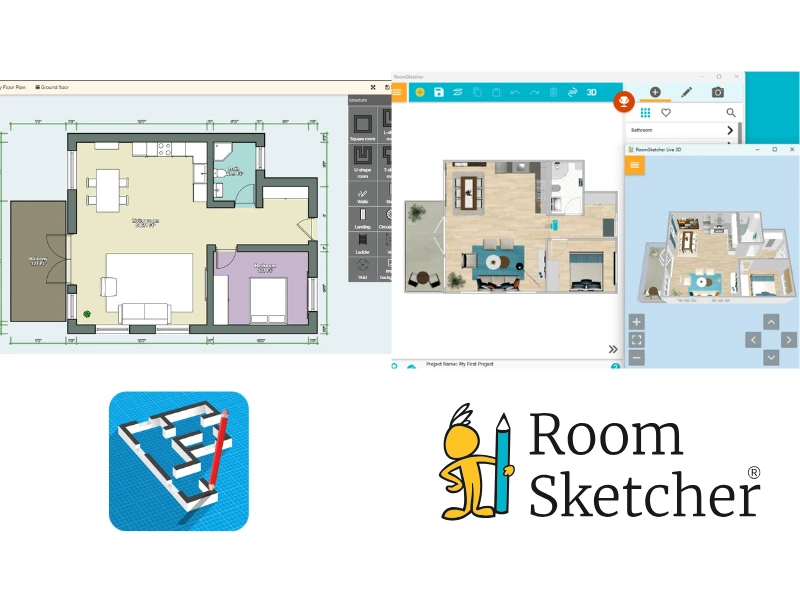

✍️Article Summary: FloorPlanCreator.net is a measurement-focused tool built primarily for Android users who need accurate floor plans without requiring polished output or client-facing presentations. RoomSketcher is the stronger choice for professionals who need branded 2D and 3D floor plans, high-quality 3D visualizations, a larger furniture library, and powerful sharing tools.
Floorplancreator.net and RoomSketcher both help users create floor plans, but they serve very different audiences. Having tested both, we found that they overlap in drawing and measurement features but differ significantly in output quality, platform support, and professional tools.
Side-by-Side
| Feature | FloorPlanCreator.net | RoomSketcher |
|---|---|---|
| Capture Rooms | - | Yes - iOS LiDAR |
| Draw Floor Plans | Yes | Yes |
| Order Floor Plans | - | Yes |
| Trace Over an Existing Floor Plan | Yes | Yes |
| Convert an Existing Floor Plan (AI) | - | Yes |
| Edit Floor Plans | Yes | Yes |
| 2D Floor Plans | Yes | Yes |
| 3D Floor Plans | - | Yes |
| 3D Visualization | Yes | Yes |
| 3D Walkthrough | Yes | Yes |
| Site Plans | Yes | Yes |
| Measurements | Yes | Yes |
| Total Area Calculations | Yes | Yes |
| Customization of Floor Plans | Yes | Yes |
| Branded Floor Plans | Yes | Yes |
| Customizable Templates | Yes | Yes |
| Cloud Storage | Yes | Yes |
| Furniture Library | Yes | Yes |
| 2D Symbols | Yes | Yes |
| Pricing | Free (1 project), Standard, Pro | Free, Pro, Team |
| Customer Support | Chat, Email, Help Center, 1:1 Training for Business Users | |
| Learning Material | YouTube videos | Tutorials, Webinars |
| Sharing | Collaboration link, PDF, PNG, JPEG, DXF, SVG | Project link, walkthroughs, share floor plans and images as PDF, JPG, PNG |
Who Uses FloorPlanCreator.net and Who Uses RoomSketcher?
FloorPlanCreator.net
- Homeowners and DIY renovators
- Surveyors and tradespeople needing precise measurements
- Android users on a budget
RoomSketcher
- Real estate professionals
- Home builders and contractors
- Interior designers
- Homeowners and professional remodelers
- Renovators
- Anyone looking for professional-quality results with less hassle
How They Work
FloorPlanCreator.net
With FloorPlanCreator.net, you start a project by drawing from scratch. You can also import a PNG or JPEG as a background image to trace over, though this is accessed via the Structure toolbar rather than as a dedicated starting option. The Android app also supports Bluetooth laser distance meters, so you can import measurements directly from the field.
When editing, FloorPlanCreator.net includes a basic object library, but the selection is limited. You'll find one window type, a single swing-door style, and sparse furnishings: for example, the living room includes a sofa but no TV stand or coffee table. You can color individual elements, but there's no way to display flooring materials or automatically color rooms by type.
To view your design in 3D, you switch between modes, as you can't see 2D and 3D at the same time. Export options include PNG, JPEG, PDF, DXF, SVG, and Wavefront .obj for 3D rendering programs. There's no ability to create 3D Photos or 360 Views.
RoomSketcher
RoomSketcher offers five ways to start a project:
- Capture a space using iOS LiDAR with FloorCapture
- Convert a digital floor plan into an editable project instantly using AI Convert
- Draw from scratch
- Order floor plans, delivered by the next business day
- Trace over an existing sketch or blueprint
Additionally, you can look at templates for inspiration or edit a copy.
For editing, RoomSketcher uses a 2D environment with an optional side-by-side Live 3D view, so you see your design update in 3D as you draw. Controls to move, resize, and customize items appear immediately upon selection. Adding color, flooring materials, and finishes is straightforward, making it easy to produce polished, realistic floor plans.
For outputs, you can generate a Project Presentation or export 3D Photos, 360 Views, Live 3D, and professional 2D and 3D floor plans in a range of colors and styles.
💻Platform Availability:
FloorPlanCreator.net:
- Web version for desktops and laptops
- Android app
RoomSketcher:
- Downloadable app for desktop and tablets
- FloorCapture app for LiDAR-enabled iOS devices
Easy Project Sharing
FloorPlanCreator.net shares projects via a collaboration link and exports to PNG, JPEG, PDF, DXF, SVG, and Wavefront .obj (for 3D rendering programs).
RoomSketcher's sharing and export tools are built around professional presentation. Every project automatically generates a Project Presentation, a shareable link that displays your generated 2D and 3D floor plans, Live 3D walkthrough, 3D Photos, and furniture details, all in one place. Collaborators with the RoomSketcher app can open and edit a copy of the project directly. You can export individual floor plans and images in JPG, PNG, or PDF format.
Order Floor Plans
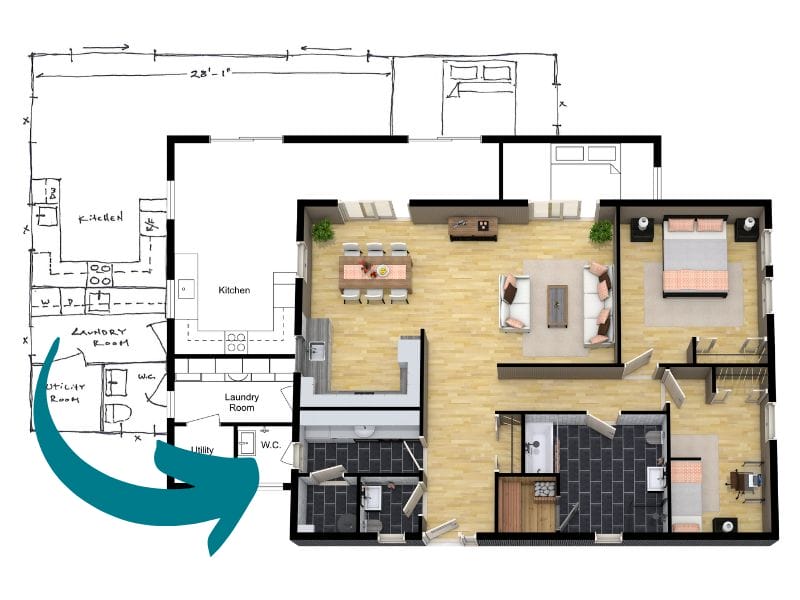
RoomSketcher's professional redraw service is a significant advantage for anyone who needs floor plans quickly, without having to convert them or draw them from scratch. This is especially helpful when you need many floor plans for different properties.
Submit a sketch, blueprint, or floor plan image online and receive professionally created 2D and 3D floor plans, plus a fully editable project file by the next business day. The project stays editable, so you can make changes, edit layouts, add materials, update furniture, and regenerate floor plans at no extra cost.
FloorPlanCreator.net offers no equivalent service.
2D Floor Plans
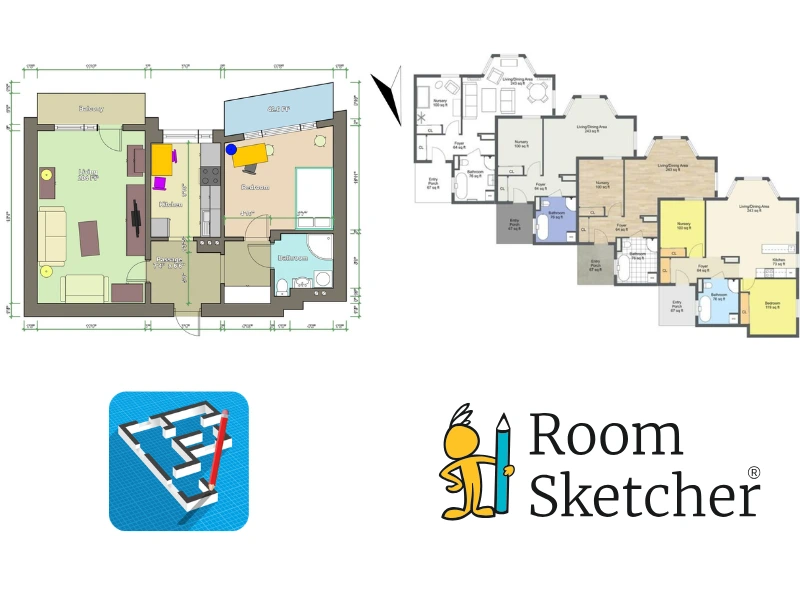
FloorPlanCreator.net produces clean 2D floor plans with automatic measurements. On the Standard plan and above, you can export in high-resolution PNG, JPEG, SVG, PDF (print-to-scale), and DXF.
However, the customization options are limited. Color options are basic, there is no automatic room-type color coding, no flooring material finishes, and no branded template system. Adding a logo to exports is only available on the Pro plan.
RoomSketcher gives you significantly more control over the final look of your 2D Floor Plans. Customization options include:
- Black-and-white or color floor plans, with optional color-coding by room type
- Flooring material views
- Show or hide room names, measurements furniture, and labels
- Company logo and branding
- Reusable templates for consistent results across all projects
Floor plans can be exported as JPG and PDF. This level of customization is available from the Pro plan.
3D Floor Plans
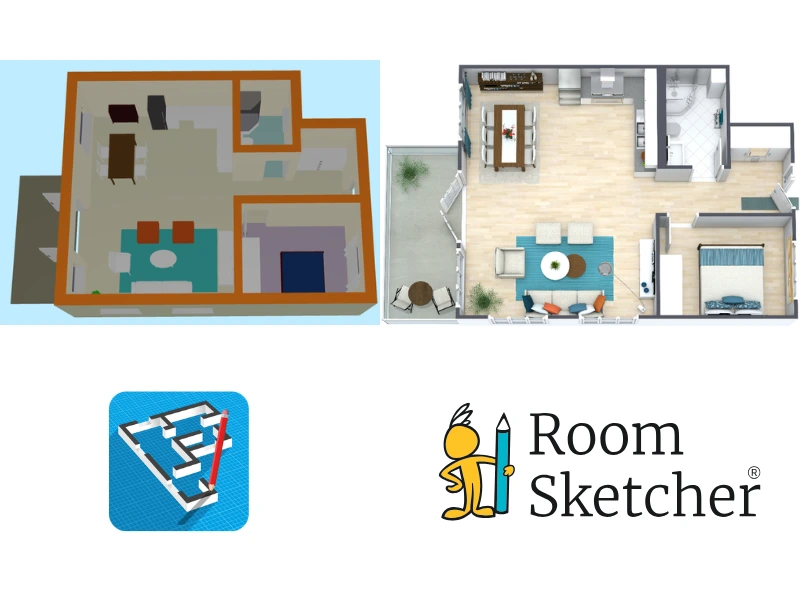
FloorPlanCreator.net includes a 3D view mode with a freely positionable camera. However, there's no way to export a 3D floor plan as a standard image; the only 3D export is a Wavefront .obj file, which requires a separate rendering program. To capture a 3D view, you'd need to take a screenshot.
There's no control over viewing-angle presets, wall-top colors, or branded templates, and no easy way to show or hide furniture for multiple versions.
To capture a 3D view, you'd need to take a screenshot. There's no control over viewing-angle presets, wall-top colors, or branded templates, and no easy way to show or hide furniture for multiple versions.
With RoomSketcher's 3D Floor Plans, you can choose the rotation and overhead viewing angle, customize wall-top colors, add branding, save settings as a template, and show or hide furniture to create multiple versions. 3D floor plans export as JPG and PDF, with rendering typically taking around 15 minutes.
Measurements and Calculations
FloorPlanCreator.net's measurement tools are strong for on-site work. As you draw up a plan, room area, wall area, floor-level area, and perimeter are all calculated automatically, and Bluetooth laser meter support (Bosch, Leica, Hilti, Stabila, and others) is a genuine advantage for tradespeople and surveyors working in the field.
RoomSketcher lets you place and drag measurements to choose where to display them. There is also the Total Area Calculator, which calculates Gross Living Area (GLA) and Total Living Area (TLA), useful for real estate professionals and appraisers.
While RoomSketcher doesn't offer laser meter integration, the FloorCapture app for LiDAR-enabled iOS devices lets you capture a property's walls, doors, and windows on-site and works well for simple spaces.
3D Photos and Virtual Tours
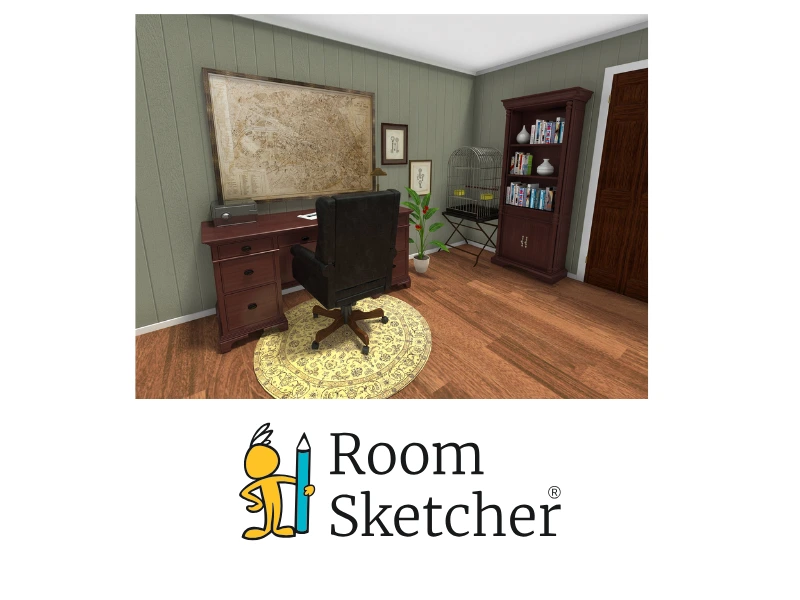
RoomSketcher generates 3D Photos and 360 Views directly from your project, ideal for interior design and virtual styling. 3D Photos are bright and polished without the need for manual lighting setup. 360 Views let recipients stand and look around inside a room, and are created with just a click. The Live 3D walkthrough includes both Flyover (dollhouse view) and Camera views, and allows viewers to navigate freely.
FloorPlanCreator.net's 3D tour mode offers basic walkthrough navigation with a freely positionable camera, but no photo-quality renders and no 360-degree views.
Customer Support
FloorPlanCreator.net’s support is via email only, with a small YouTube channel of fewer than 10 videos (most over 5 years old). There is no live chat, Help Center, webinars, or 1:1 training.
RoomSketcher offers chat and email support for all users, a comprehensive Help Center, video tutorials, webinars, 1:1 training on the Team plan, and a dedicated Customer Manager on the Team plan. For professionals who rely on floor plan software daily, the difference in support can make or break the experience.
Which Floor Plan Software Should You Choose?
FloorPlanCreator.net suits users who want to create a simple floor plan, as well as Android-first users who need fast, measurement-based floor plans and don't require polished output or client-facing presentations. Its low pricing and one-time Android purchase are genuinely appealing for simple, occasional use.
RoomSketcher is the stronger choice for anyone who needs polished, shareable floor plans and visualizations. Choose it for ease of use, the unique redraw service, Project Presentations, 2D and 3D exports, 3D Photos, Live 3D, team collaboration, and dependable customer support.
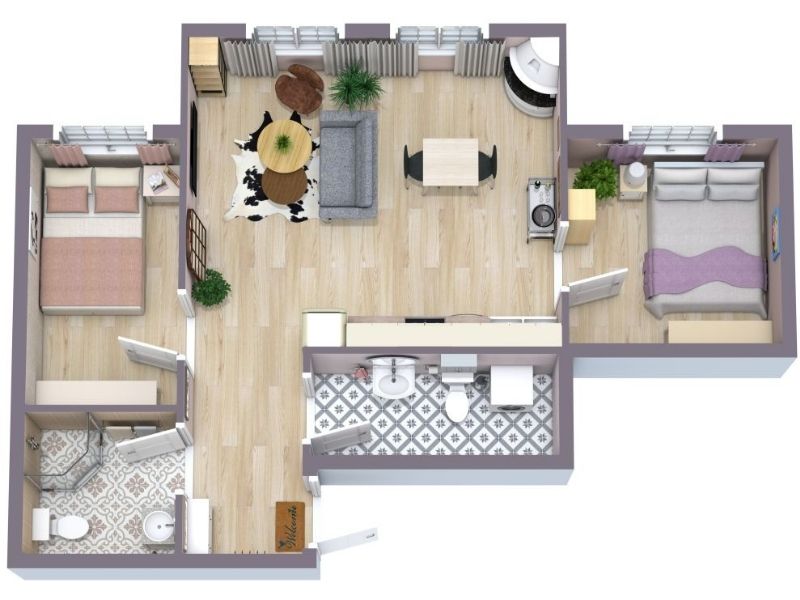
Why People Prefer RoomSketcher
- Intuitive and easy-to-use
- Capture, Convert, Draw, Trace, or Order Floor Plans
- Unmatched 2D and 3D Floor Plan customization
- Friendly customer support
- Flexible pay-as-you-go pricing
Ready to try it yourself? Create a free RoomSketcher account today and explore the features. Upgrade anytime to unlock 2D and 3D Floor Plans, 3D Photos, 360 Views, and Live 3D.
With a 30-day money-back guarantee, you can get started risk-free.
Recommended Reads
3Dream vs RoomSketcher: Complete Comparison
Choosing between 3Dream and RoomSketcher for your 2D and 3D floor plans? Both tools help you create layouts, but they're built with different priorities. This guide breaks down the key features, strengths, and limitations.
Best Floor Plan Creators of 2026
Do you not know which floor plan creator to choose for your next project? Don't worry, we've tested the best floor plan creators right now to give you a complete list with pros and cons.
Chief Architect vs RoomSketcher: Which Floor Plan Creator Is Better?
Both Chief Architect and RoomSketcher are popular floor plan software options. We tested both to help you understand the differences and choose the right tool.