Which is Better for 2D Floor Plans: ConceptDraw or RoomSketcher?
ConceptDraw DIAGRAM and RoomSketcher both create floor plans, but they take different approaches. To help you decide, we tested each tool and compared features, usability, and outputs side by side.
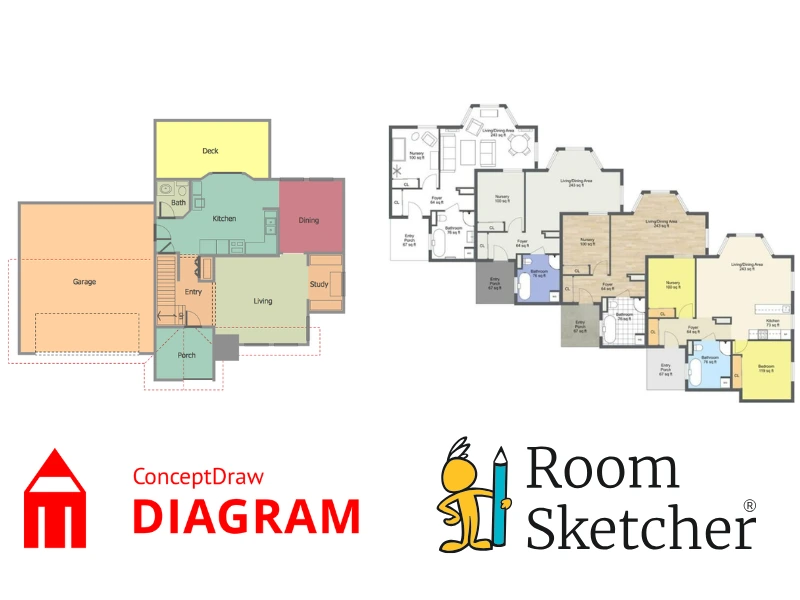

💡Article Summary: ConceptDraw DIAGRAM works for basic 2D diagrams and simple floor plans. RoomSketcher offers a complete solution for professional floor planning and visualization. Its intuitive tools, automatic measurements, 2D and 3D Floor Plans, and advanced sharing features make it ideal for real estate, interior design, and property workflows.
Choosing between ConceptDraw DIAGRAM and RoomSketcher for your 2D and 3D floor plans? Both tools let you create layouts, but RoomSketcher is purpose-built for floor planning, while ConceptDraw is a more general diagramming tool. This guide breaks down their key strengths and limitations to help you decide which is best for your needs.
Side-by-Side Comparison
| Feature | ConceptDraw DIAGRAM | RoomSketcher |
|---|---|---|
| Capture Rooms | - | Yes - iOS LiDAR |
| Draw Floor Plans | Yes | Yes |
| Order Floor Plans | - | Yes |
| Trace Over an Existing Floor Plan | - | Yes |
| Convert an Existing Floor Plan | - | Yes |
| Edit Floor Plans | Yes | Yes |
| 2D Floor Plans | Yes | Yes |
| 3D Floor Plans | - | Yes |
| 3D Visualization | - | Yes |
| 3D Walkthrough | - | Yes |
| Site Plans | Yes | Yes |
| Measurements | Yes | Yes |
| Total Area Calculations | - | Yes |
| Customization of Floor Plans | Yes | Yes |
| Branded Floor Plans | - | Yes |
| Customizable Templates | - | Yes |
| Cloud Storage | Yes | Yes |
| Furniture Library | Yes | Yes |
| 2D Symbols | Yes | Yes |
| Pricing | Fixed price per license (1, 5, or 10) | Free, Pro, Team |
| Customer Support | Email, Phone, Help Center | Chat, Email, Help Center, 1:1 Training for Business Users |
| Learning Material | - | Tutorials, Webinars |
| Sharing | Export in PDF, JPG, and PNG | Project link, walkthroughs, share floor plans and images as PDF, JPG, PNG |
Who Uses ConceptDraw DIAGRAM and Who Uses RoomSketcher?
ConceptDraw DIAGRAM
- IT Departments and corporate teams
- Businesses needing basic office layouts
- Users familiar with ConceptDraw diagramming tools
RoomSketcher
- Real estate professionals
- Home builders
- Interior designers
- Remodelers
- Anyone looking for professional-quality results with less hassle
How They Work
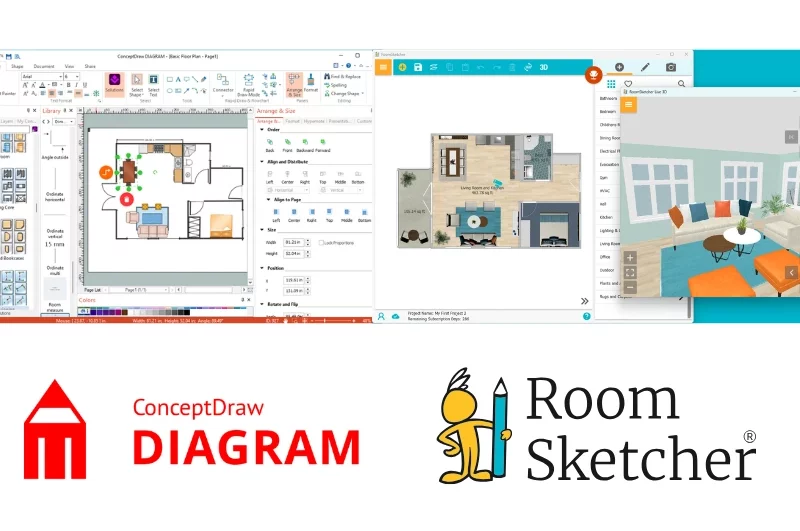
ConceptDraw DIAGRAM
ConceptDraw DIAGRAM is a business diagramming tool (for flowcharts, decision trees, org charts, and more) that can create basic 2D floor plans using add-ons. To use it for floor planning, you must install the Floor Plans extension and additional libraries (Office Layout, Fire/Emergency Plans, HVAC).
Drawing is a manual process, so drawing walls requires repeated drag-and-drop actions, wall lengths don't appear as you draw, and rotation must be done manually. You can color rooms and furniture, but realistic materials like tile or hardwood aren't available.
The furniture library is limited, and the software doesn't support 3D floor plans, 3D photos, walkthroughs, or other visualization options. Overall, ConceptDraw DIAGRAM is best for simple 2D plans, for corporate or IT departments that already use it for other diagrams.
RoomSketcher
RoomSketcher, by contrast, is purpose-built for floor planning. This is immediately apparent in its easy-to-use interface and powerful features tailored to floor planning and interior design. You can start projects by drawing, capturing with iOS LiDAR, converting blueprints with AI Convert, tracing, or ordering floor plans.
The materials library lets you add realistic floor and wall coverings, and the furniture library provides lots of decor options. Live 3D allows you to design in 2D while instantly seeing the results in 3D. Overall, the user interface is noticeably easier to use. You can also brand your floor plans to maintain a consistent style across projects.
RoomSketcher produces professional outputs, including 2D and 3D floor plans, 3D Photos, 360 Views, Live 3D walkthroughs, and project presentations.
💻Platform Availability:
- ConceptDraw DIAGRAM: Downloadable desktop app for Windows and Mac
- RoomSketcher: Downloadable desktop app for Windows and Mac + iOS and Android tablets
Collaboration, Project Sharing, and Exports
Both RoomSketcher and ConceptDraw DIAGRAM allow exports in PNG, JPG, and PDF for sharing.
If you don't want to share everything individually, RoomSketcher automatically generates a polished Project Presentation for each project. This way, you can share a link without needing to export large files. Your recipients see a high-quality presentation that includes the 2D and 3D floor plans you have generated, Live 3D, 3D Photos, and the furniture used in the project. Plus, recipients with the RoomSketcher app can use the link to open and edit the project.
Order Floor Plans
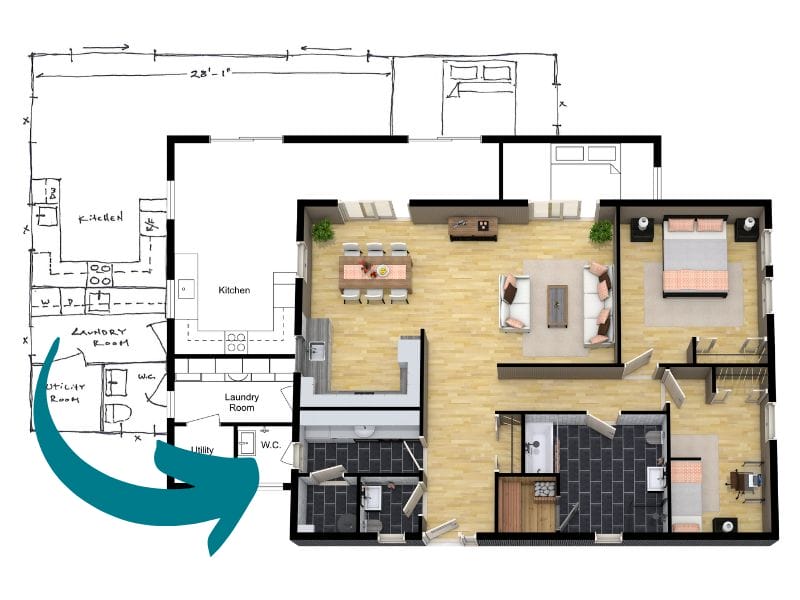
If you need professional floor plans quickly, RoomSketcher's redraw service allows anyone to submit a blueprint or sketch and receive 2D and 3D Floor Plans, along with an editable project, by the next business day. You can even make last-minute adjustments to the received project and then re-generate the floor plans free of charge. RoomSketcher's redraw service is incredibly affordable, making it a top choice for those needing high-quality floor plans in a hurry.
ConceptDraw DIAGRAM does not offer a redraw service.
2D Floor Plans
ConceptDraw DIAGRAM can create black-and-white or color 2D plans, but it lacks the option to add realistic materials like tile, hardwood, or stone. You can apply basic colors and patterns, and furniture can be added from a limited library. Some add-on extension packs enable symbols like fire, electrical, and telecom. Plans can be exported as PNG, JPG, or PDF.
ConceptDraw is better for creating single 2D floor plans rather than projects that need to be repeated or high-volume work. It lacks many productivity features, such as room-based color coding (making all bathrooms blue), automated measurements, and reusable templates.
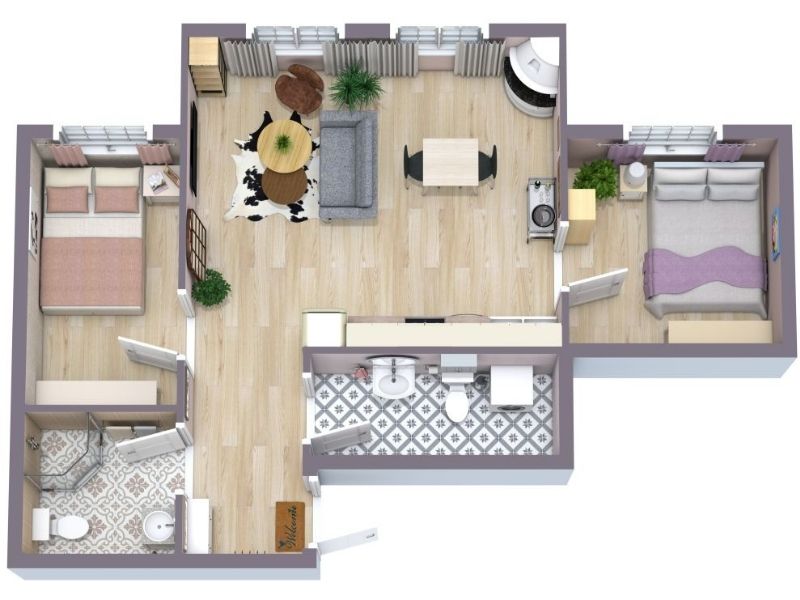
RoomSketcher provides more flexibility and customization for creating polished 2D Floor Plans. You can apply realistic materials, adjust colors, add room names and labels, and easily include measurements in feet or meters. RoomSketcher comes with a wide range of symbols, including arrows, electrical, evacuation, and HVAC. The furniture library is extensive, and you can hide or show furniture to quickly create multiple 2D floor plan versions.
RoomSketcher also supports room color-coding and branded templates for consistent, repeatable workflows. High-resolution 2D plans can be included in your Project Presentation or exported as JPG or PDF.
3D Floor Plans
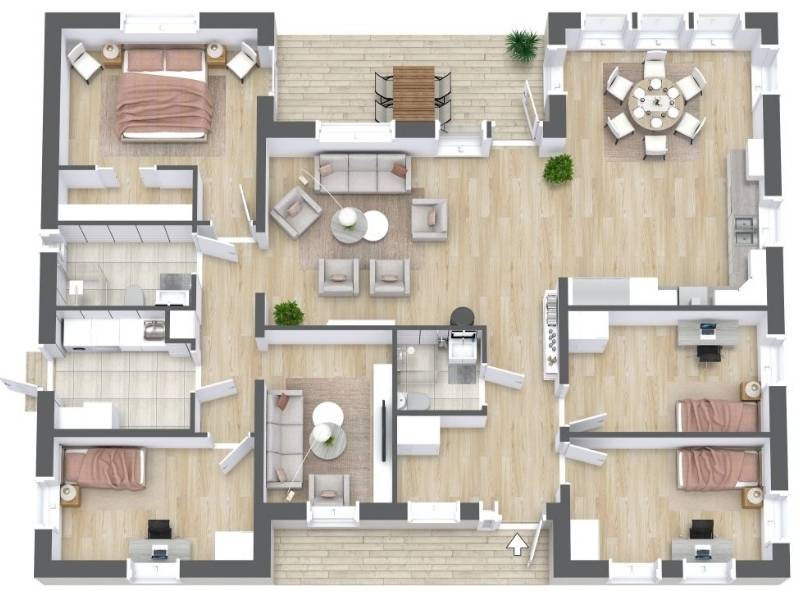
RoomSketcher automatically builds your 3D Floor Plans as you draw in 2D. You can customize materials, finishes, furniture, camera angles, and save 3D styles for consistent branding. This includes applying color to the top-view walls and customizing the viewing angle. The results are presentation-ready, and exports are available in high-resolution.
ConceptDraw DIAGRAM doesn't support 3D floor plans.
3D Photos and Virtual Tours
RoomSketcher offers a full suite of 3D visualization options:
- 3D Photos: High-resolution images ideal for marketing and presentations
- 360 Views: Immersive 360-degree room views compatible across devices
- Live 3D: Interactive walkthroughs allowing you to fly over the floor plan for a complete overview or move through rooms as if you were physically there
These features are powerful for client presentations and sales.
ConceptDraw DIAGRAM doesn't support 3D visualization.
Measurements and Calculations
In ConceptDraw DIAGRAM, measurements are added manually, one at a time, using the Dimensioning library. This works for a few dimensions but becomes tedious for larger plans. Room areas aren't calculated, so measurements must be entered individually.
RoomSketcher automatically calculates and displays room areas. You can show or hide measurements, making it easy to produce both clean and detailed versions. Measurement Wizards automate adding multiple length measurements at once, and the Total Area Calculator supports industry-standard calculations such as Grand Total Area (GTA), Total Living Area (TLA), and Gross Internal Area (GIA), among others.
Customer Support
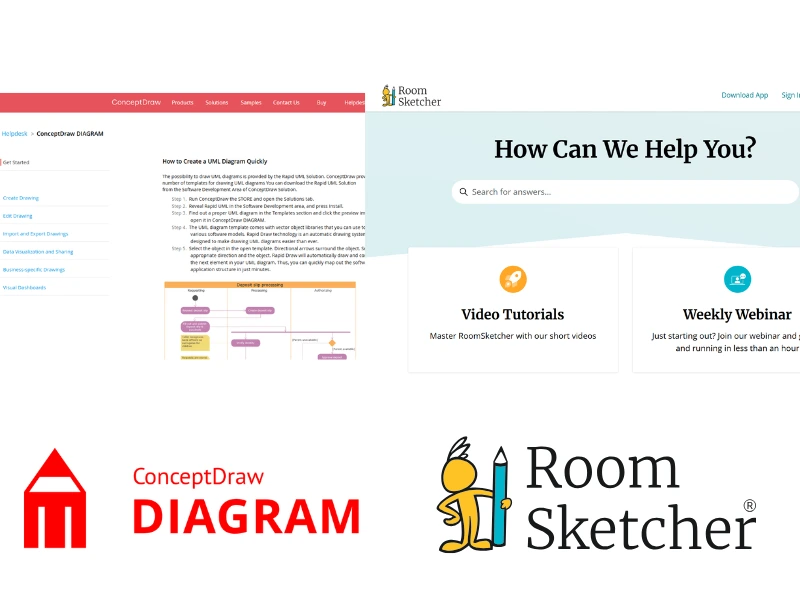
ConceptDraw DIAGRAM offers a Help Center covering its full diagramming feature set, but includes few resources for floor plan creation. Paid users have access to ticket and telephone support.
RoomSketcher provides much more comprehensive support, including a Help Center dedicated to floor planning, video tutorials, email and chat support, webinars, and one-on-one training for business users.
Pricing
ConceptDraw DIAGRAM uses a perpetual license model rather than a subscription, with potential additional costs for floor plan add-ons. A 21-day trial is available that lets you test the full version, after which the software enters Demo mode.
RoomSketcher offers more flexible plans, including pay-as-you-go credits. There are also monthly and annual subscriptions for frequent users. A free version is available without a credit card, allowing users to test the core features before committing.
Which Floor Plan Software Should You Choose?
Choose ConceptDraw DIAGRAM if you already use it for business diagrams and only need to create occasional, simple 2D floor plans, such as office layouts, emergency exit plans, or seating charts. If your company already owns the tool, it can be a cost-effective option for one-off floor plans, especially in corporate or IT-focused environments, but it lacks automation, 3D visualization, and floor plan-specific efficiency features.
Choose RoomSketcher if floor plans are a core part of your work or if you need professional-quality visuals, accurate measurements, and fast, repeatable workflows. With intuitive, easy-to-use drawing tools, automatic calculations, rich 2D and 3D outputs, and powerful visualization features, RoomSketcher delivers polished results for anyone who regularly creates or presents floor plans.
Why People Prefer RoomSketcher
- Intuitive and easy-to-use
- Capture, Convert, Draw, Trace, or Order Floor Plans
- Unmatched 2D and 3D Floor Plan customization
- Friendly customer support
- Flexible pay-as-you-go pricing
Ready to try it yourself? Create a free RoomSketcher account today and explore the features. Upgrade anytime to unlock 2D and 3D Floor Plans, 3D Photos, 360 Views, and Live 3D.
With a 30-day money-back guarantee, you can get started risk-free.
Recommended Reads
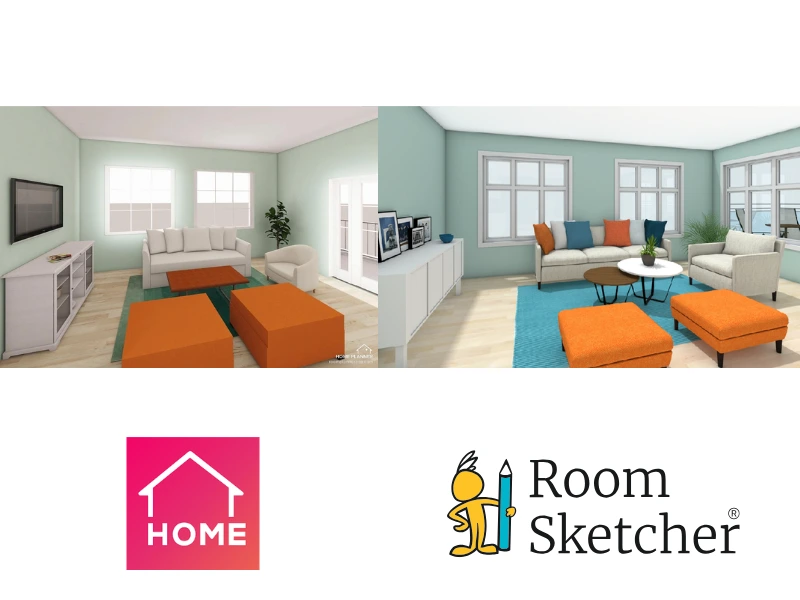
Choosing Between Home Planner and RoomSketcher? Read This First
Choosing between Home Planner and RoomSketcher for your floor plan needs? This article will help you decide which one you should use for your floor plan projects.
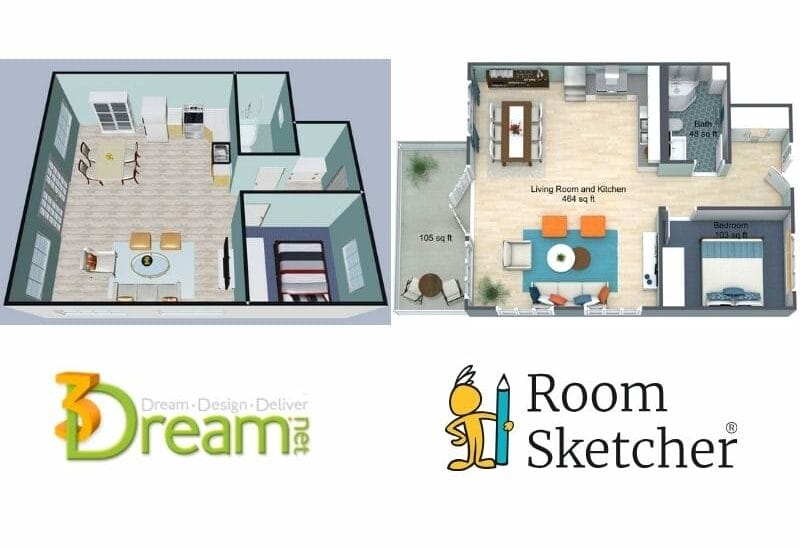
3Dream vs RoomSketcher: Complete Comparison
Choosing between 3Dream and RoomSketcher for your 2D and 3D floor plans? Both tools help you create layouts, but they're built with different priorities. This guide breaks down the key features, strengths, and limitations.

Top 9 Floor Plan Software Tools for 3D Floor Plans
3D floor plans turn simple layouts into realistic, easy-to-understand visual experiences. They help people explore design ideas and instantly understand a space. Here's a list of the best floor plan software to use for your 3D floor plans.